
We offer a selection of the most common activity types to track for both Outdoor and Indoor mode. To select your activity type before tracking, follow these steps!
Change Activity Type on iPhone
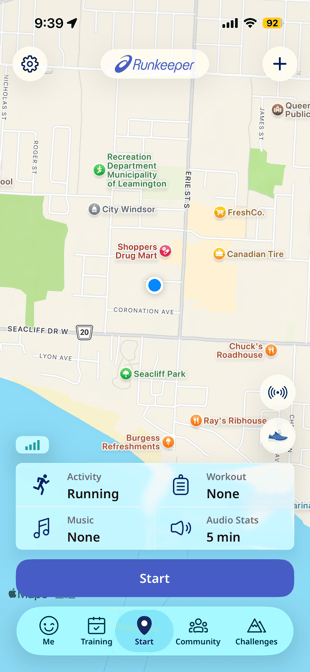
- Go to the Start tab in the app and locate the grid with 4 boxes at the bottom of the screen (be sure the header selected on the start tab is Quickstart)
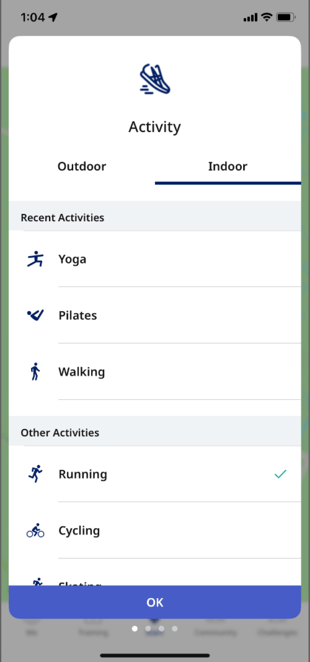
- Tap the Activity box and select the activity type you want to track (running, walking, cycling, hiking, etc.).
- If you want to switch from Outdoor to Indoor Mode, you can do that on this screen by toggling between Outdoor and Indoor, then selecting the intended activity (ie/ Running, Walking, Cycling).
- Indoor Mode should be used for any indoor, non-GPS activities (ie/ treadmill, elliptical, weight lifting, etc.).
To change the activity type of an already existing activity, check out this article.
*Have more questions, contact our support team at support@runkeeper.com!