---
title: Apple Watch - 水锁功能
description: 烦恼下雨天影响你出门跑步? 别担心! Apple Watch 水锁功能,有效避免雨水、汗水和衣袖干扰 Runkeeper 运动追踪。
---
[跳到内容](https://help.runkeeper.com/zh-cn/hc/apple-watch-水锁功能#main-content)
- [简体中文](https://help.runkeeper.com/zh-cn/hc/apple-watch-%E6%B0%B4%E9%94%81%E5%8A%9F%E8%83%BD)
- [Deutsch](https://help.runkeeper.com/de/hc/apple-watch-wassersperre)
- [English](https://help.runkeeper.com/en/hc/apple-watch-water-lock-feature)
- [Español](https://help.runkeeper.com/es/hc/bloqueo-acuático-de-apple-watch)
- [Français](https://help.runkeeper.com/fr/hc/apple-watch-verrouillage-de-lécran-contre-les-projections-deau)
- [Italiano](https://help.runkeeper.com/it/hc/apple-watch-funzione-blocco-quando-in-acqua)
- [Nederlands](https://help.runkeeper.com/nl/hc/apple-watch-waterslotfeature)
- [Português - Brasil](https://help.runkeeper.com/pt-br/hc/apple-watch-recurso-de-bloqueio-de-água)
- [Svenska](https://help.runkeeper.com/sv/hc/apple-watch-funktionen-undervattenslås-vattenlås)
- [Русский](https://help.runkeeper.com/ru/hc/apple-watch-функция-блокировки-воды)
- [한국어](https://help.runkeeper.com/ko/hc/apple-watch-수중-잠금-기능)
- [日本語](https://help.runkeeper.com/ja/hc/apple-watch-防水ロック機能)
简体中文
显示翻译的子菜单

打开主导航
关闭主导航
- - [简体中文](https://help.runkeeper.com/zh-cn/hc/apple-watch-%E6%B0%B4%E9%94%81%E5%8A%9F%E8%83%BD)
- [Deutsch](https://help.runkeeper.com/de/hc/apple-watch-wassersperre)
- [English](https://help.runkeeper.com/en/hc/apple-watch-water-lock-feature)
- [Español](https://help.runkeeper.com/es/hc/bloqueo-acuático-de-apple-watch)
- [Français](https://help.runkeeper.com/fr/hc/apple-watch-verrouillage-de-lécran-contre-les-projections-deau)
- [Italiano](https://help.runkeeper.com/it/hc/apple-watch-funzione-blocco-quando-in-acqua)
- [Nederlands](https://help.runkeeper.com/nl/hc/apple-watch-waterslotfeature)
- [Português - Brasil](https://help.runkeeper.com/pt-br/hc/apple-watch-recurso-de-bloqueio-de-água)
- [Svenska](https://help.runkeeper.com/sv/hc/apple-watch-funktionen-undervattenslås-vattenlås)
- [Русский](https://help.runkeeper.com/ru/hc/apple-watch-функция-блокировки-воды)
- [한국어](https://help.runkeeper.com/ko/hc/apple-watch-수중-잠금-기능)
- [日本語](https://help.runkeeper.com/ja/hc/apple-watch-防水ロック機能)
简体中文
显示翻译的子菜单
- [联系我们](https://share.hsforms.com/1B8cgssAhTq-4nq1BuiygeQns95q)
[联系我们](https://share.hsforms.com/1B8cgssAhTq-4nq1BuiygeQns95q)
我们有什么可以帮你?
- 没有建议,因为搜索字段为空。
1. [帮助中心](https://help.runkeeper.com/zh-cn/hc?hsLang=zh-cn)
2. [合作应用](https://help.runkeeper.com/zh-cn/hc/%E5%90%88%E4%BD%9C%E5%BA%94%E7%94%A8?hsLang=zh-cn)
3. [Apple Watch](https://help.runkeeper.com/zh-cn/hc/%E5%90%88%E4%BD%9C%E5%BA%94%E7%94%A8?hsLang=zh-cn#apple-watch)
# Apple Watch - 水锁功能
烦恼下雨天影响你出门跑步? 别担心! Apple Watch 水锁功能,有效避免雨水、汗水和衣袖干扰 Runkeeper 运动追踪。
**水锁功能有什么用?**
启用 Apple Watch 水锁功能,Apple Watch 界面将自动锁定,对触摸无反应。 也就是说,能够防止水滴和衣袖误触影响活动追踪。 结束活动后,你可以关闭该功能,Apple Watch 将排出残留水滴,保障安全使用!
**如何在 Apple Watch 上启用水锁功能?**
如需开启水锁,请按照以下步骤操作:
1\) 在 Runkeeper 上开启活动
2\) 立即暂停活动(同时按下表冠和侧面按钮即可暂停活动。)
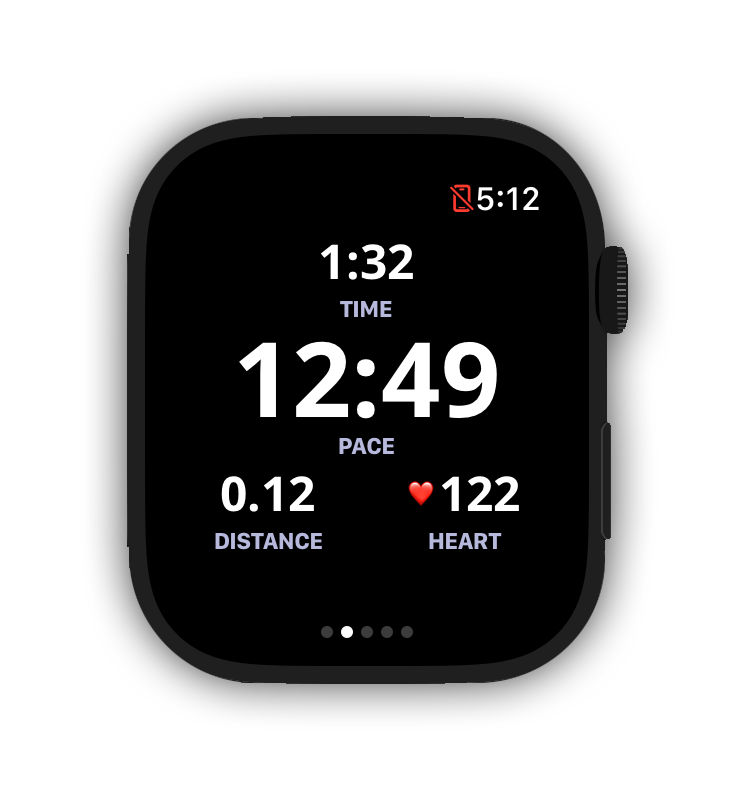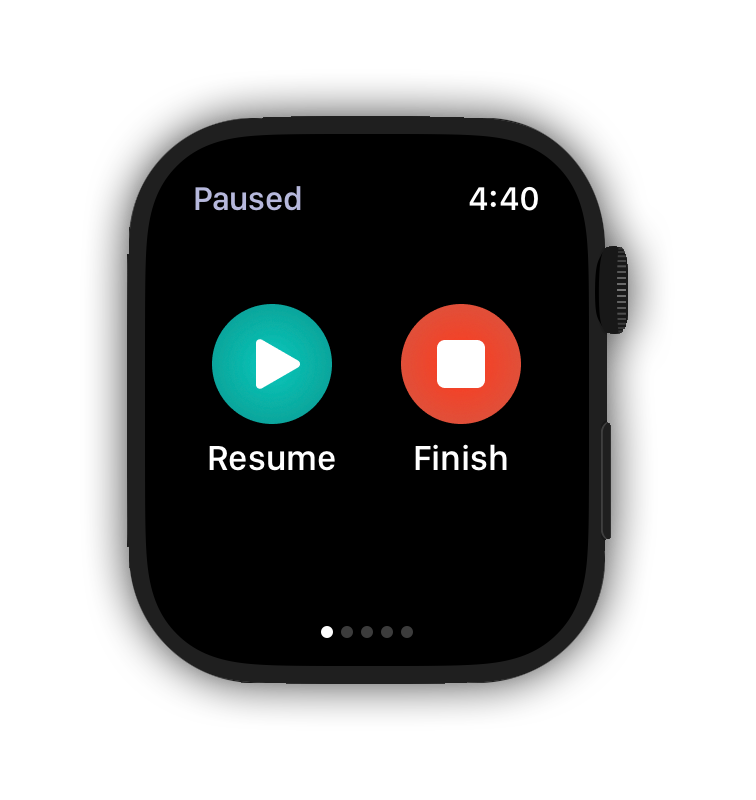
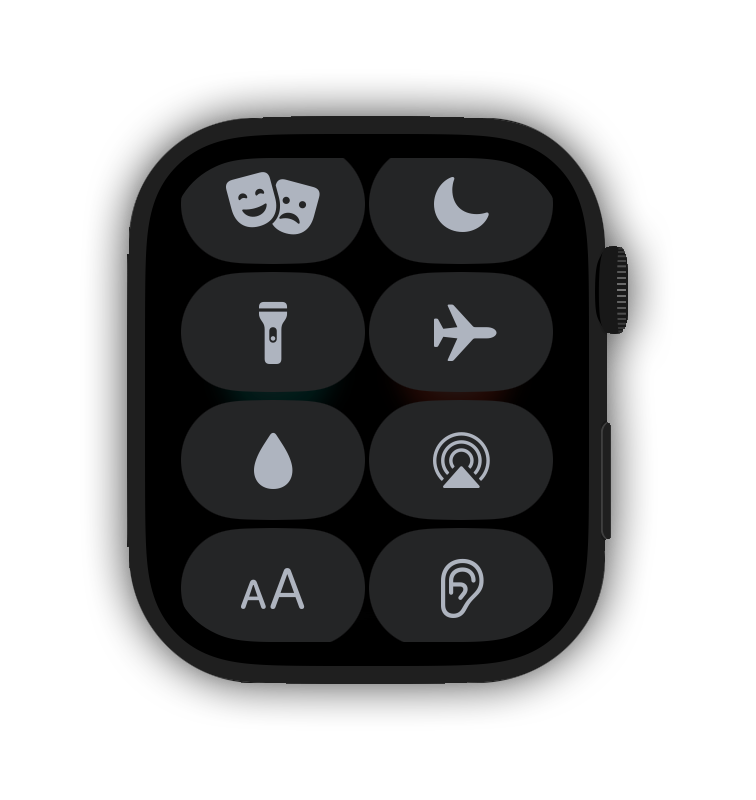
3\) 长按/向上滑动 Apple Watch 主界面底部,调出控制中心
4\) 选择“水锁”(设备的水滴图标)
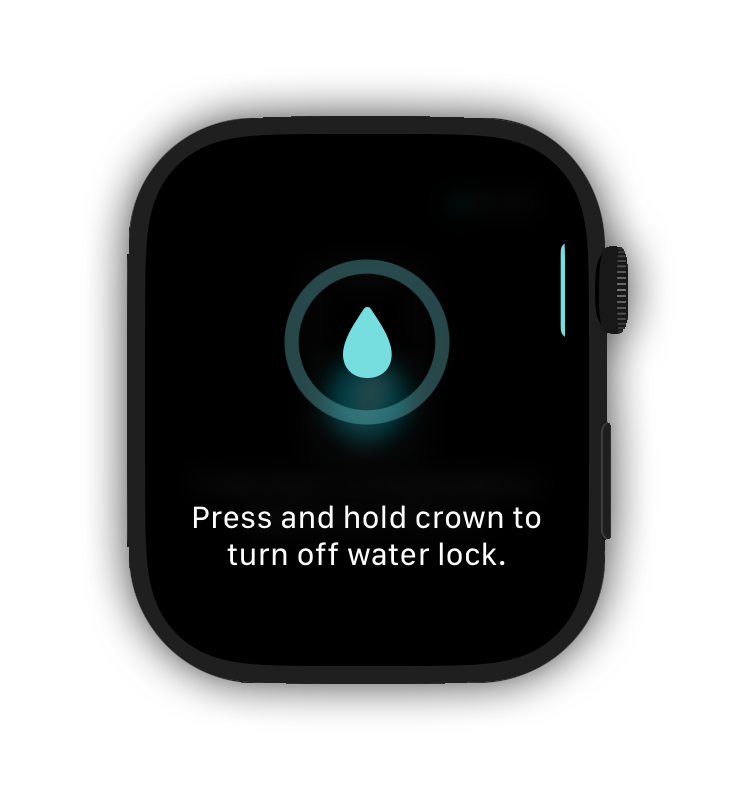
5\) 运动结束时,再次通过按钮和表冠暂停。
6\) 长按表冠关闭“水锁”
7\) 保存你的活动
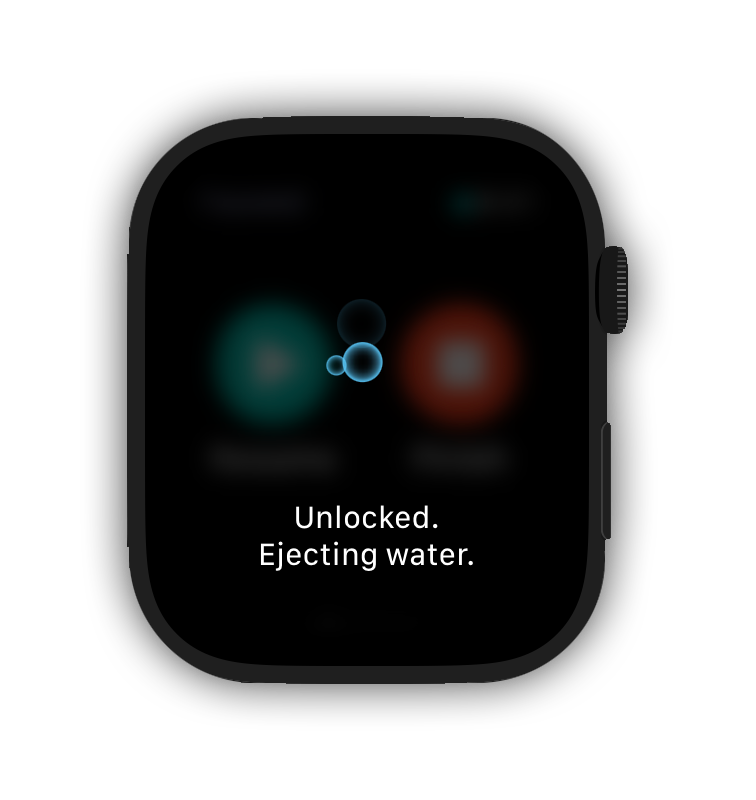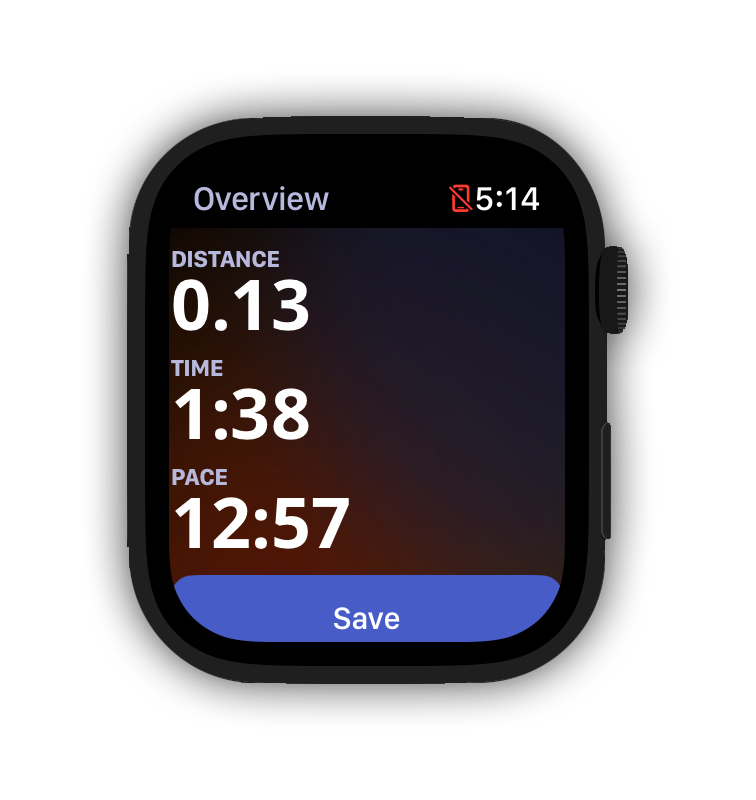
启用水锁功能,即便在雨雪天气你也可以放心运动,Runkeeper 活动追踪数据不受影响!
*仍有疑问? 欢迎通过[support@runkeeper.com](mailto:support@runkeeper.com!)咨询我们的客服团队!*
- [帐户和个人资料](https://help.runkeeper.com/zh-cn/hc/%E5%B8%90%E6%88%B7%E5%92%8C%E4%B8%AA%E4%BA%BA%E8%B5%84%E6%96%99?hsLang=zh-cn#main-content)
- [帐户帮助](https://help.runkeeper.com/zh-cn/hc/%E5%B8%90%E6%88%B7%E5%92%8C%E4%B8%AA%E4%BA%BA%E8%B5%84%E6%96%99?hsLang=zh-cn#%E5%B8%90%E6%88%B7%E5%B8%AE%E5%8A%A9)
- [iPhone](https://help.runkeeper.com/zh-cn/hc/iphone?hsLang=zh-cn#main-content)
- [Start](https://help.runkeeper.com/zh-cn/hc/iphone?hsLang=zh-cn#start)
- [Android](https://help.runkeeper.com/zh-cn/hc/android?hsLang=zh-cn)
- [合作应用](https://help.runkeeper.com/zh-cn/hc/%E5%90%88%E4%BD%9C%E5%BA%94%E7%94%A8?hsLang=zh-cn#main-content)
- [Apple Watch](https://help.runkeeper.com/zh-cn/hc/%E5%90%88%E4%BD%9C%E5%BA%94%E7%94%A8?hsLang=zh-cn#apple-watch)
[](http://raceroster.com)
[mailto:email@email.com](mailto:email@email.com)
版权所有 © 2026, Race Roster