---
title: Apple WatchをRunkeeperに接続する
description: RunkeeperにApple Watchをセットアップする方法
---
[コンテンツまでスキップ](https://help.runkeeper.com/ja/hc/apple-watchをrunkeeperに接続する#main-content)
- [日本語](https://help.runkeeper.com/ja/hc/apple-watch%E3%82%92runkeeper%E3%81%AB%E6%8E%A5%E7%B6%9A%E3%81%99%E3%82%8B)
- [Deutsch](https://help.runkeeper.com/de/hc/deine-apple-watch-mit-runkeeper-verknüpfen)
- [English](https://help.runkeeper.com/en/hc/connecting-your-apple-watch-to-runkeeper)
- [Español](https://help.runkeeper.com/es/hc/vincular-tu-apple-watch-a-runkeeper)
- [Français](https://help.runkeeper.com/fr/hc/connecter-votre-apple-watch-à-runkeeper)
- [Italiano](https://help.runkeeper.com/it/hc/collegare-apple-watch-a-runkeeper)
- [Nederlands](https://help.runkeeper.com/nl/hc/je-apple-watch-verbinden-met-runkeeper)
- [Português - Brasil](https://help.runkeeper.com/pt-br/hc/como-conectar-o-seu-apple-watch-ao-runkeeper)
- [Svenska](https://help.runkeeper.com/sv/hc/ansluta-apple-watch-till-runkeeper)
- [Русский](https://help.runkeeper.com/ru/hc/подключение-apple-watch-к-runkeeper)
- [한국어](https://help.runkeeper.com/ko/hc/runkeeper에-apple-watch-연결하기)
- [简体中文](https://help.runkeeper.com/zh-cn/hc/将你的-apple-watch-连接到-runkeeper)
日本語
翻訳のサブメニューを表示

メインナビゲーションを開く
メインナビゲーションを閉じる
- - [日本語](https://help.runkeeper.com/ja/hc/apple-watch%E3%82%92runkeeper%E3%81%AB%E6%8E%A5%E7%B6%9A%E3%81%99%E3%82%8B)
- [Deutsch](https://help.runkeeper.com/de/hc/deine-apple-watch-mit-runkeeper-verknüpfen)
- [English](https://help.runkeeper.com/en/hc/connecting-your-apple-watch-to-runkeeper)
- [Español](https://help.runkeeper.com/es/hc/vincular-tu-apple-watch-a-runkeeper)
- [Français](https://help.runkeeper.com/fr/hc/connecter-votre-apple-watch-à-runkeeper)
- [Italiano](https://help.runkeeper.com/it/hc/collegare-apple-watch-a-runkeeper)
- [Nederlands](https://help.runkeeper.com/nl/hc/je-apple-watch-verbinden-met-runkeeper)
- [Português - Brasil](https://help.runkeeper.com/pt-br/hc/como-conectar-o-seu-apple-watch-ao-runkeeper)
- [Svenska](https://help.runkeeper.com/sv/hc/ansluta-apple-watch-till-runkeeper)
- [Русский](https://help.runkeeper.com/ru/hc/подключение-apple-watch-к-runkeeper)
- [한국어](https://help.runkeeper.com/ko/hc/runkeeper에-apple-watch-연결하기)
- [简体中文](https://help.runkeeper.com/zh-cn/hc/将你的-apple-watch-连接到-runkeeper)
日本語
翻訳のサブメニューを表示
- [お問い合わせ](https://share.hsforms.com/105f_RDYGS16-9PZNuPjraQns95q)
[お問い合わせ](https://share.hsforms.com/105f_RDYGS16-9PZNuPjraQns95q)
何かお困りですか?
- 検索フィールドが空なので、候補はありません。
1. [ヘルプセンター](https://help.runkeeper.com/ja/hc?hsLang=ja)
2. [パートナーのアプリ](https://help.runkeeper.com/ja/hc/%E3%83%91%E3%83%BC%E3%83%88%E3%83%8A%E3%83%BC%E3%81%AE%E3%82%A2%E3%83%97%E3%83%AA?hsLang=ja)
3. [Apple Watch](https://help.runkeeper.com/ja/hc/%E3%83%91%E3%83%BC%E3%83%88%E3%83%8A%E3%83%BC%E3%81%AE%E3%82%A2%E3%83%97%E3%83%AA?hsLang=ja#apple-watch)
# Apple WatchをRunkeeperに接続する
RunkeeperにApple Watchをセットアップする方法
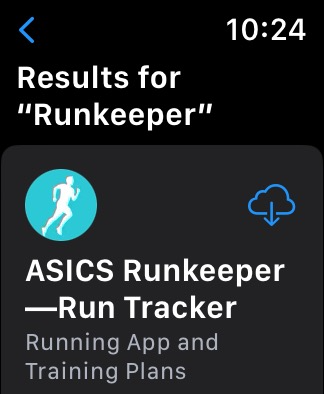
1\. RunkeeperアプリをApple Watchにダウンロードします。 お使いのApple WatchでApp Storeを開き、「Runkeeper」を検索し、ダウンロードしてください。
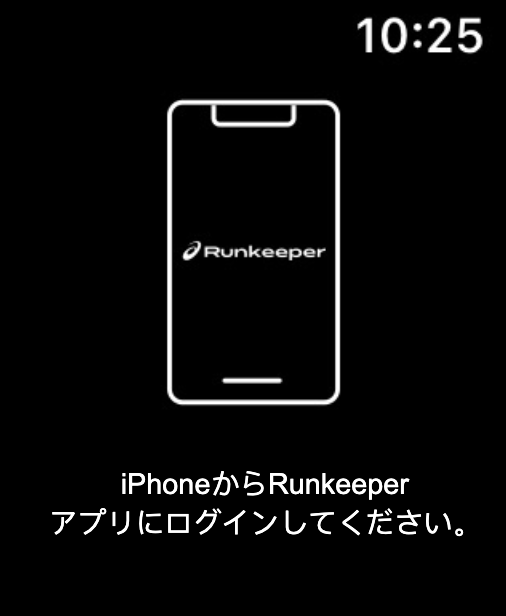
2\. Apple WatchでRunkeeperアプリを開くと、iPhoneでRunkeeperアプリにログインすることを要求する画面が表示されます。
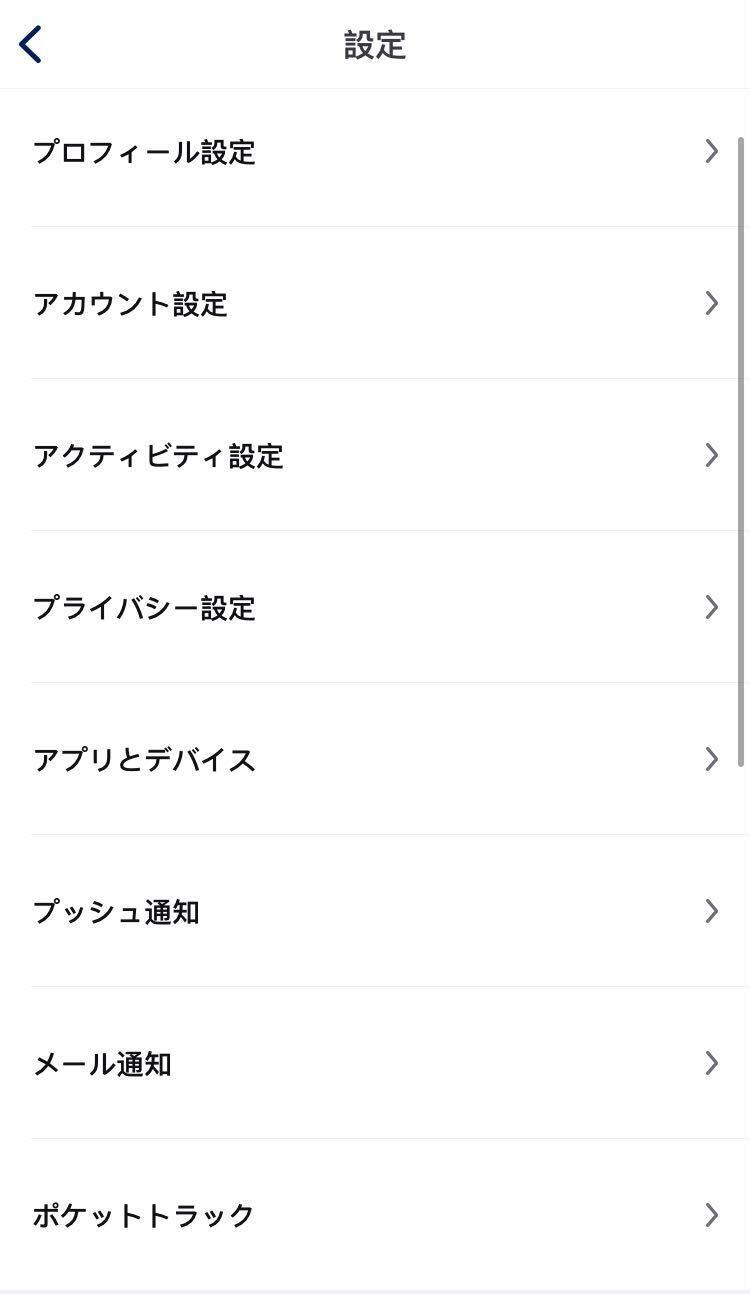
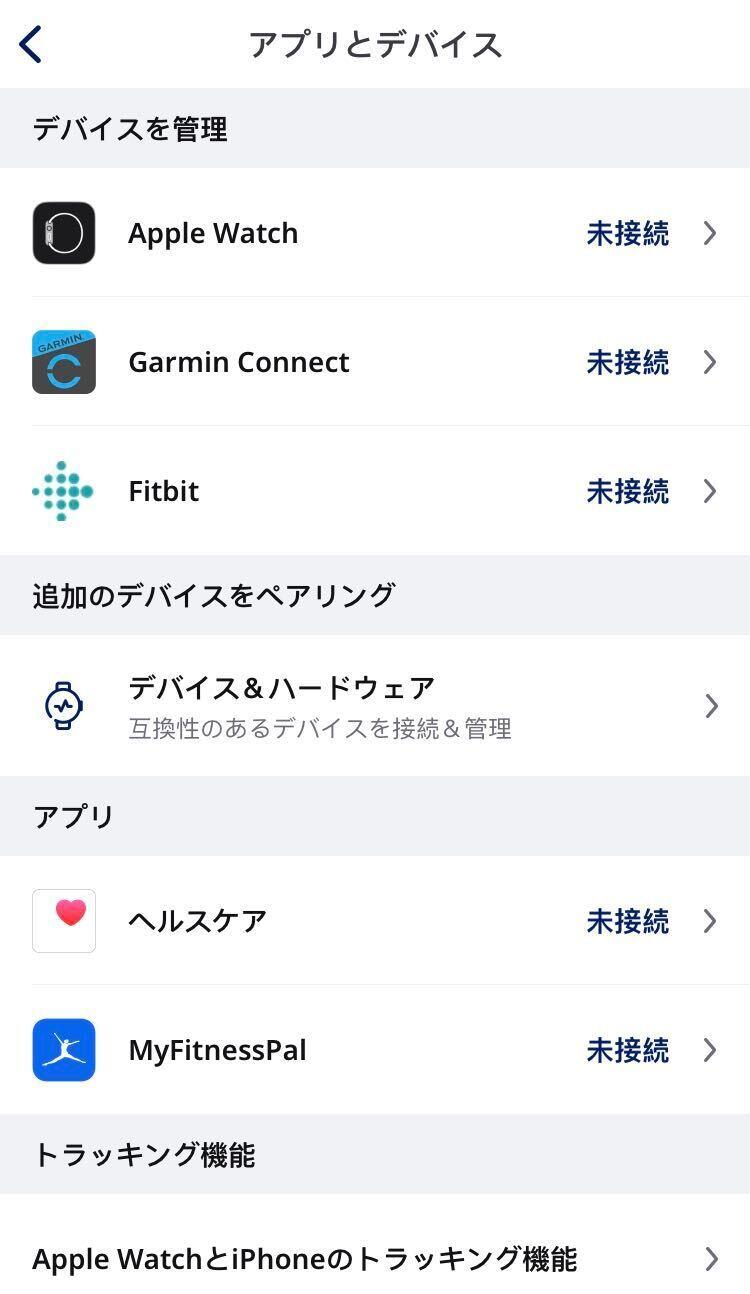
3\. iPhoneでRunkeeperアプリにログインし、**[ユーザー]タブ**を開きます。 **設定の歯車**アイコンをタップし、**[アプリとデバイス]**を選択します。
4\. [デバイスを管理]の下にある**[Apple Watch]**を選択します。
5\. **[ヘルスケアに接続]**をタップします。
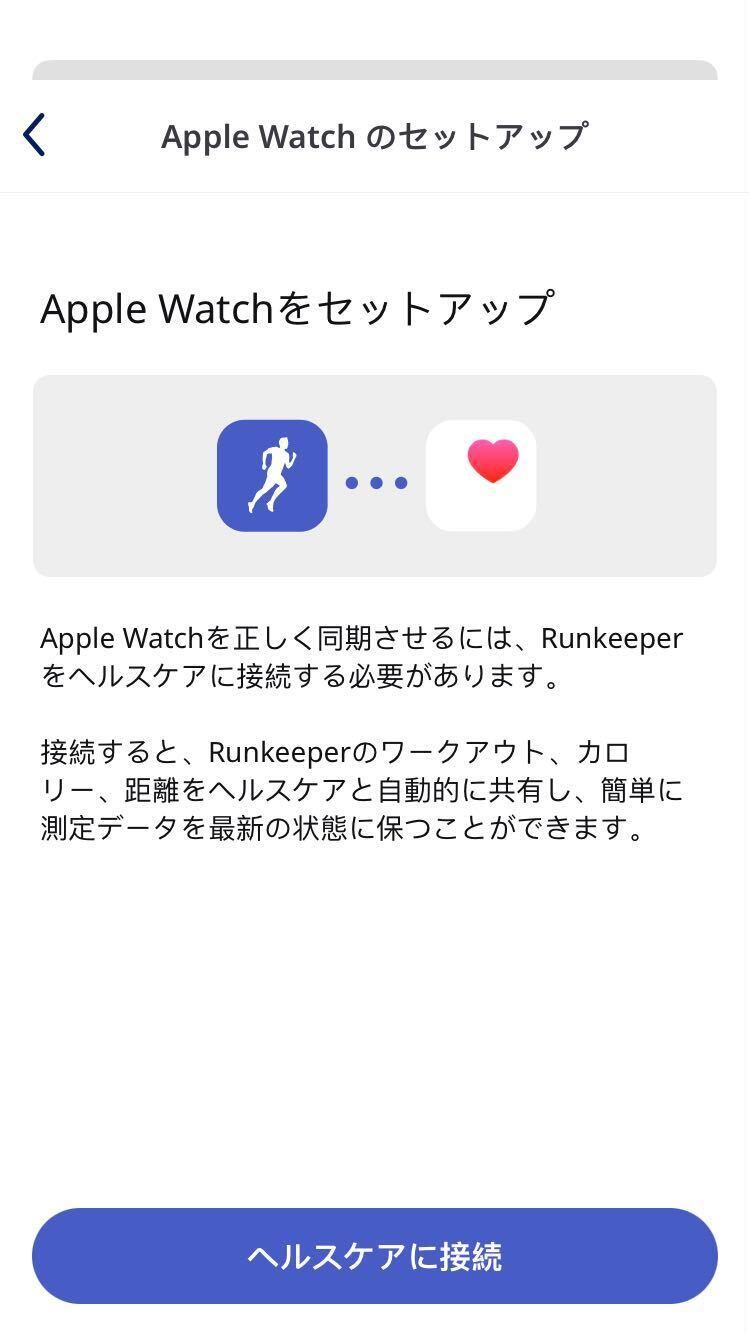
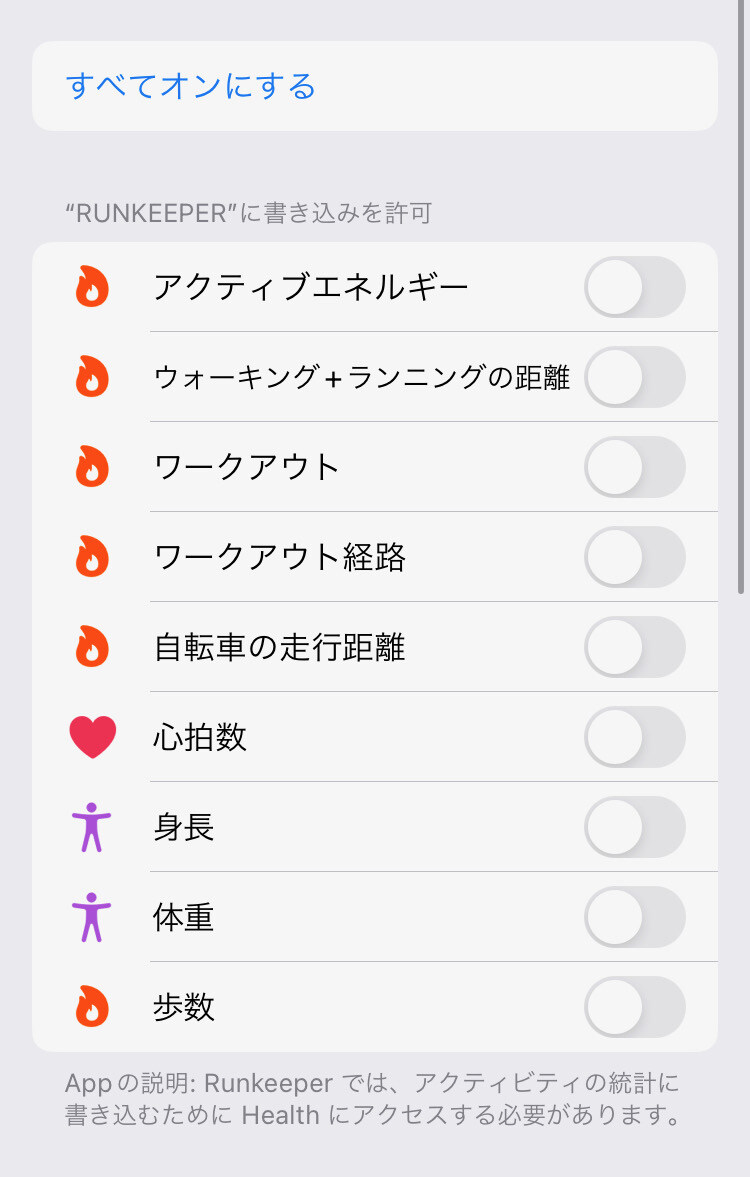
6\. **[すべてオンにする]**を選択し、Runkeeperにすべてのヘルスケアデータへのアクセスを許可するか、アクセスを許可するデータを個別に選択します(選択されなかったデータは、アクティビティの記録に影響を与える場合があります)。
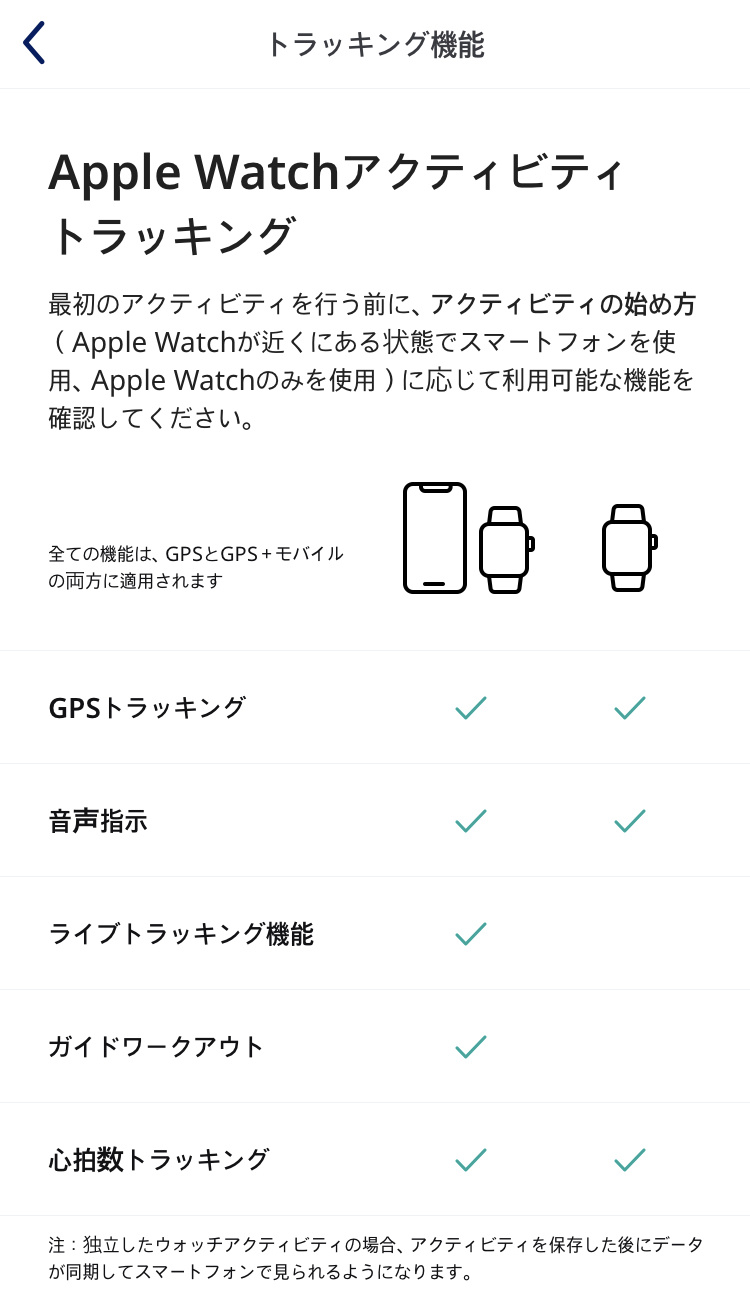
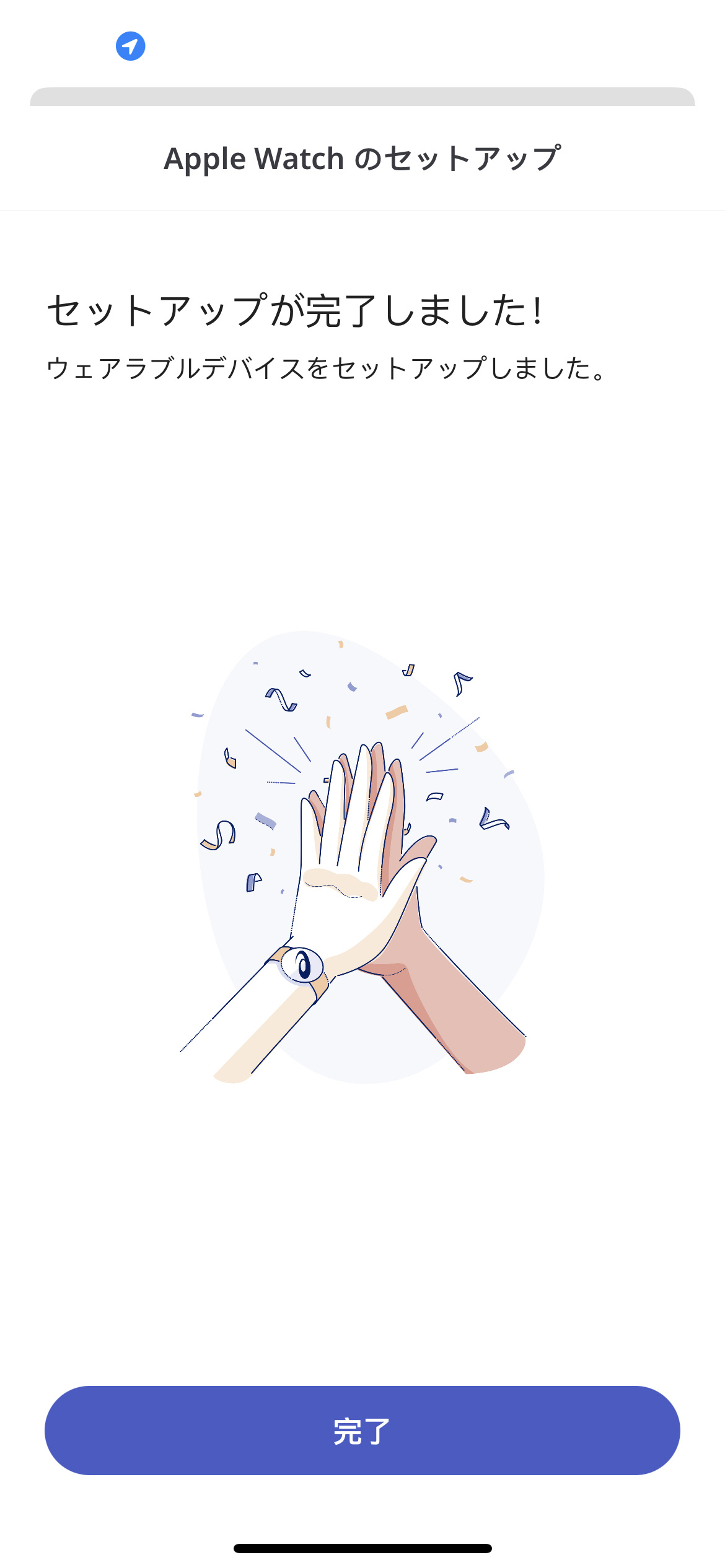
7\. **[OK]**を選択し、接続を完了します。Apple Watchから直接アクティビティを開始した場合に利用できる機能と、iPhoneから開始した場合に利用できる機能が一覧で表示されますので、この画面でご確認ください。 **[完了]**をタップすると設定が終了し、アプリ画面に戻ります。
*\*\*Apple WatchのアプリでRunkeeperを使用中に、何らかの理由でアクティビティの記録ができない場合は、iPhoneの設定を開き、アプリのリストからRunkeeperアプリを選択します。 開いた画面で、****[位置情報]、[通知]、そして[モーションとフィットネス]****の設定を確認してください。*
*\*他にもご不明な点がありましたら、 サポートチーム(support@runkeeper.com)までお問い合わせください。*
- [アカウントとプロフィール](https://help.runkeeper.com/ja/hc/%E3%82%A2%E3%82%AB%E3%82%A6%E3%83%B3%E3%83%88%E3%81%A8%E3%83%97%E3%83%AD%E3%83%95%E3%82%A3%E3%83%BC%E3%83%AB?hsLang=ja#main-content)
- [アカウントのヘルプ](https://help.runkeeper.com/ja/hc/%E3%82%A2%E3%82%AB%E3%82%A6%E3%83%B3%E3%83%88%E3%81%A8%E3%83%97%E3%83%AD%E3%83%95%E3%82%A3%E3%83%BC%E3%83%AB?hsLang=ja#%E3%82%A2%E3%82%AB%E3%82%A6%E3%83%B3%E3%83%88%E3%81%AE%E3%83%98%E3%83%AB%E3%83%97)
- [iPhone](https://help.runkeeper.com/ja/hc/iphone?hsLang=ja#main-content)
- [Me](https://help.runkeeper.com/ja/hc/iphone?hsLang=ja#me)
- [Start](https://help.runkeeper.com/ja/hc/iphone?hsLang=ja#start)
- [Android](https://help.runkeeper.com/ja/hc/android?hsLang=ja)
- [Website](https://help.runkeeper.com/ja/hc/website?hsLang=ja)
- [パートナーのアプリ](https://help.runkeeper.com/ja/hc/%E3%83%91%E3%83%BC%E3%83%88%E3%83%8A%E3%83%BC%E3%81%AE%E3%82%A2%E3%83%97%E3%83%AA?hsLang=ja#main-content)
- [Apple Watch](https://help.runkeeper.com/ja/hc/%E3%83%91%E3%83%BC%E3%83%88%E3%83%8A%E3%83%BC%E3%81%AE%E3%82%A2%E3%83%97%E3%83%AA?hsLang=ja#apple-watch)
- [パートナーのアプリ](https://help.runkeeper.com/ja/hc/%E3%83%91%E3%83%BC%E3%83%88%E3%83%8A%E3%83%BC%E3%81%AE%E3%82%A2%E3%83%97%E3%83%AA?hsLang=ja#%E3%83%91%E3%83%BC%E3%83%88%E3%83%8A%E3%83%BC%E3%81%AE%E3%82%A2%E3%83%97%E3%83%AA)
- [基本事項](https://help.runkeeper.com/ja/hc/%E5%9F%BA%E6%9C%AC%E4%BA%8B%E9%A0%85?hsLang=ja#main-content)
- [Getting Started](https://help.runkeeper.com/ja/hc/%E5%9F%BA%E6%9C%AC%E4%BA%8B%E9%A0%85?hsLang=ja#getting-started)
- [トレーニング](https://help.runkeeper.com/ja/hc/%E3%83%88%E3%83%AC%E3%83%BC%E3%83%8B%E3%83%B3%E3%82%B0?hsLang=ja#main-content)
- [Training Plans](https://help.runkeeper.com/ja/hc/%E3%83%88%E3%83%AC%E3%83%BC%E3%83%8B%E3%83%B3%E3%82%B0?hsLang=ja#training-plans)
- [Runkeeper Go](https://help.runkeeper.com/ja/hc/runkeeper-go?hsLang=ja#main-content)
- [Runkeeper Go](https://help.runkeeper.com/ja/hc/runkeeper-go?hsLang=ja#runkeeper-go)
[](http://raceroster.com)
[mailto:email@email.com](mailto:email@email.com)
Copyright © 2026, Race Roster