---
title: 私タブに関する質問
description: [私] タブではユーザー個人のアクティビティに関するあらゆる情報を管理します。 完了したワークアウトを見て、今までの達成をお祝いしましょう。 ここでは、この[私] タブに含まれる情報について説明します。
---
[コンテンツまでスキップ](https://help.runkeeper.com/ja/hc/私タブに関する質問#main-content)
- [日本語](https://help.runkeeper.com/ja/hc/%E7%A7%81%E3%82%BF%E3%83%96%E3%81%AB%E9%96%A2%E3%81%99%E3%82%8B%E8%B3%AA%E5%95%8F)
- [Deutsch](https://help.runkeeper.com/de/hc/das-ist-der-reiter-ich)
- [English](https://help.runkeeper.com/en/hc/understanding-your-me-tab)
- [Español](https://help.runkeeper.com/es/hc/qué-es-la-pestaña-yo)
- [Français](https://help.runkeeper.com/fr/hc/fr/comprendre-votre-onglet-moi)
- [Italiano](https://help.runkeeper.com/it/hc/la-scheda-io)
- [Nederlands](https://help.runkeeper.com/nl/hc/hoe-werkt-je-ik-knop)
- [Português - Brasil](https://help.runkeeper.com/pt-br/hc/conheça-sua-aba-eu)
- [Svenska](https://help.runkeeper.com/sv/hc/att-förstå-din-jag-flik)
日本語
翻訳のサブメニューを表示

メインナビゲーションを開く
メインナビゲーションを閉じる
- - [日本語](https://help.runkeeper.com/ja/hc/%E7%A7%81%E3%82%BF%E3%83%96%E3%81%AB%E9%96%A2%E3%81%99%E3%82%8B%E8%B3%AA%E5%95%8F)
- [Deutsch](https://help.runkeeper.com/de/hc/das-ist-der-reiter-ich)
- [English](https://help.runkeeper.com/en/hc/understanding-your-me-tab)
- [Español](https://help.runkeeper.com/es/hc/qué-es-la-pestaña-yo)
- [Français](https://help.runkeeper.com/fr/hc/fr/comprendre-votre-onglet-moi)
- [Italiano](https://help.runkeeper.com/it/hc/la-scheda-io)
- [Nederlands](https://help.runkeeper.com/nl/hc/hoe-werkt-je-ik-knop)
- [Português - Brasil](https://help.runkeeper.com/pt-br/hc/conheça-sua-aba-eu)
- [Svenska](https://help.runkeeper.com/sv/hc/att-förstå-din-jag-flik)
日本語
翻訳のサブメニューを表示
- [お問い合わせ](https://share.hsforms.com/105f_RDYGS16-9PZNuPjraQns95q)
[お問い合わせ](https://share.hsforms.com/105f_RDYGS16-9PZNuPjraQns95q)
何かお困りですか?
- 検索フィールドが空なので、候補はありません。
1. [ヘルプセンター](https://help.runkeeper.com/ja/hc?hsLang=ja)
2. [基本事項](https://help.runkeeper.com/ja/hc/%E5%9F%BA%E6%9C%AC%E4%BA%8B%E9%A0%85?hsLang=ja)
3. [Getting Started](https://help.runkeeper.com/ja/hc/%E5%9F%BA%E6%9C%AC%E4%BA%8B%E9%A0%85?hsLang=ja#getting-started)
# 私タブに関する質問
**\[私\] タブ**ではユーザー個人のアクティビティに関するあらゆる情報を管理します。 完了したワークアウトを見て、今までの達成をお祝いしましょう。 ここでは、この\[私\] タブに含まれる情報について説明します。
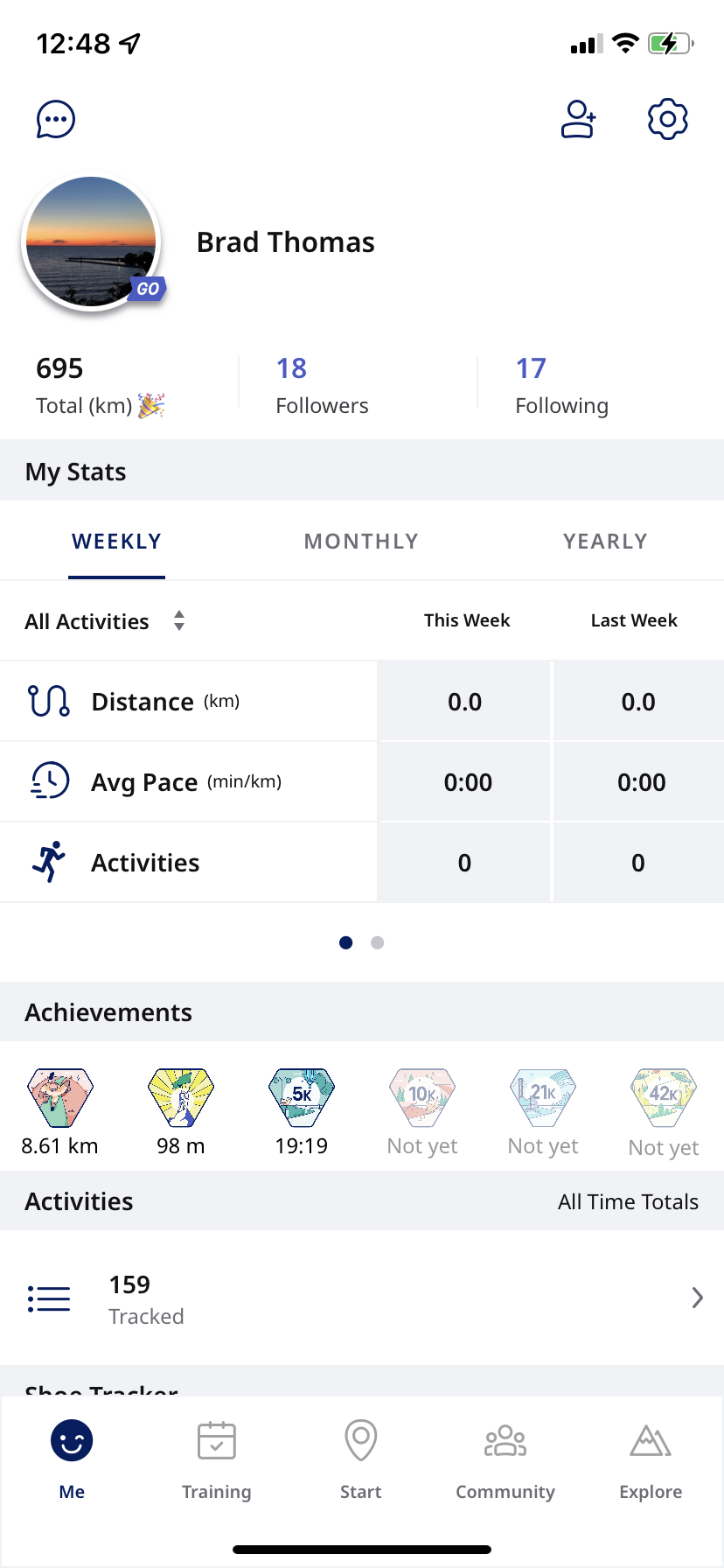
**プロフィール情報**
最初の部分は、あなたのプロフィール写真、お名前、合計走行距離、アクティビティ数、フォロワーを表示しています。 右上にある2つのアイコンの機能は次の通りです。
- **フォロワーアイコン**は新しいフォロワーを追加します。
- **ギアのアイコン**は、設定を操作します。 設定では、アカウントやアクティビティの詳細などを管理できます。
**データ**
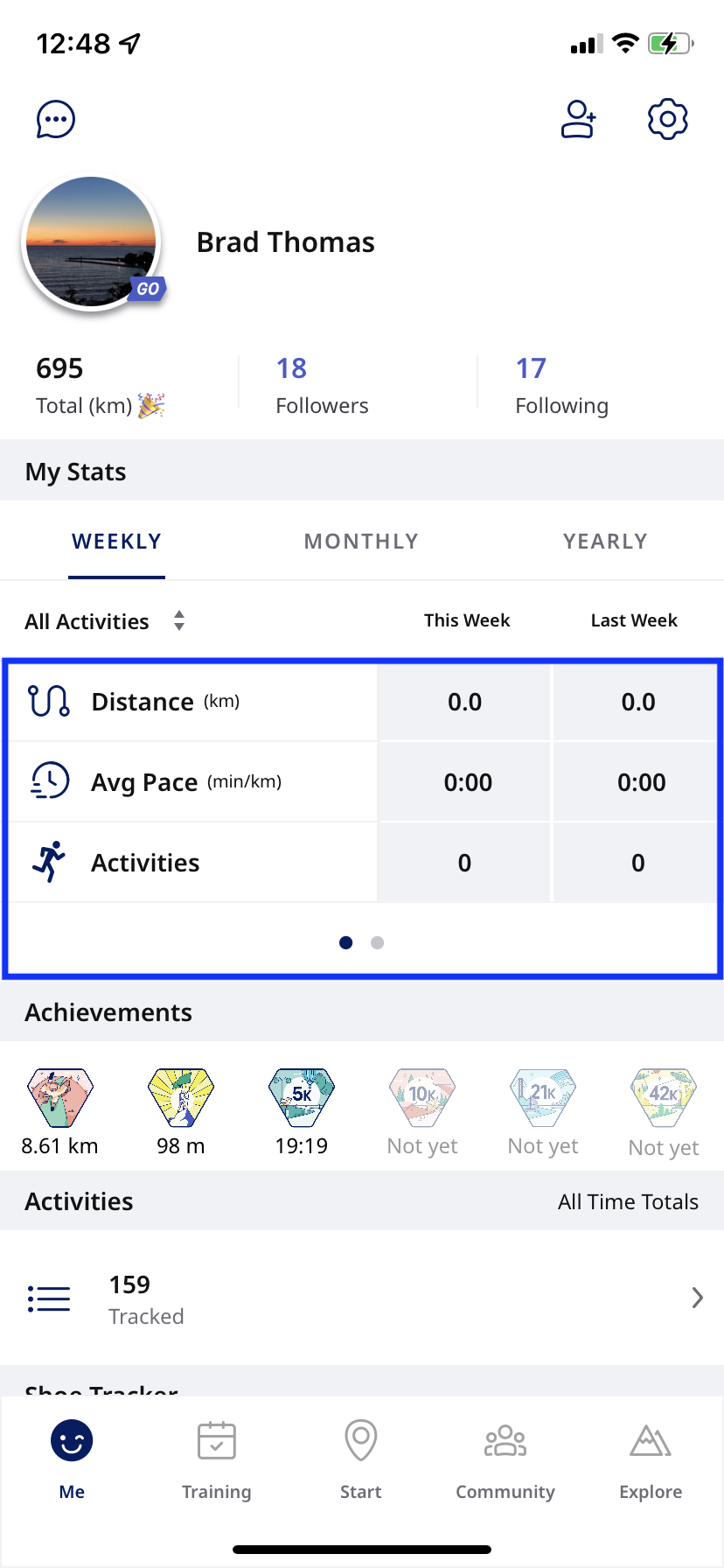
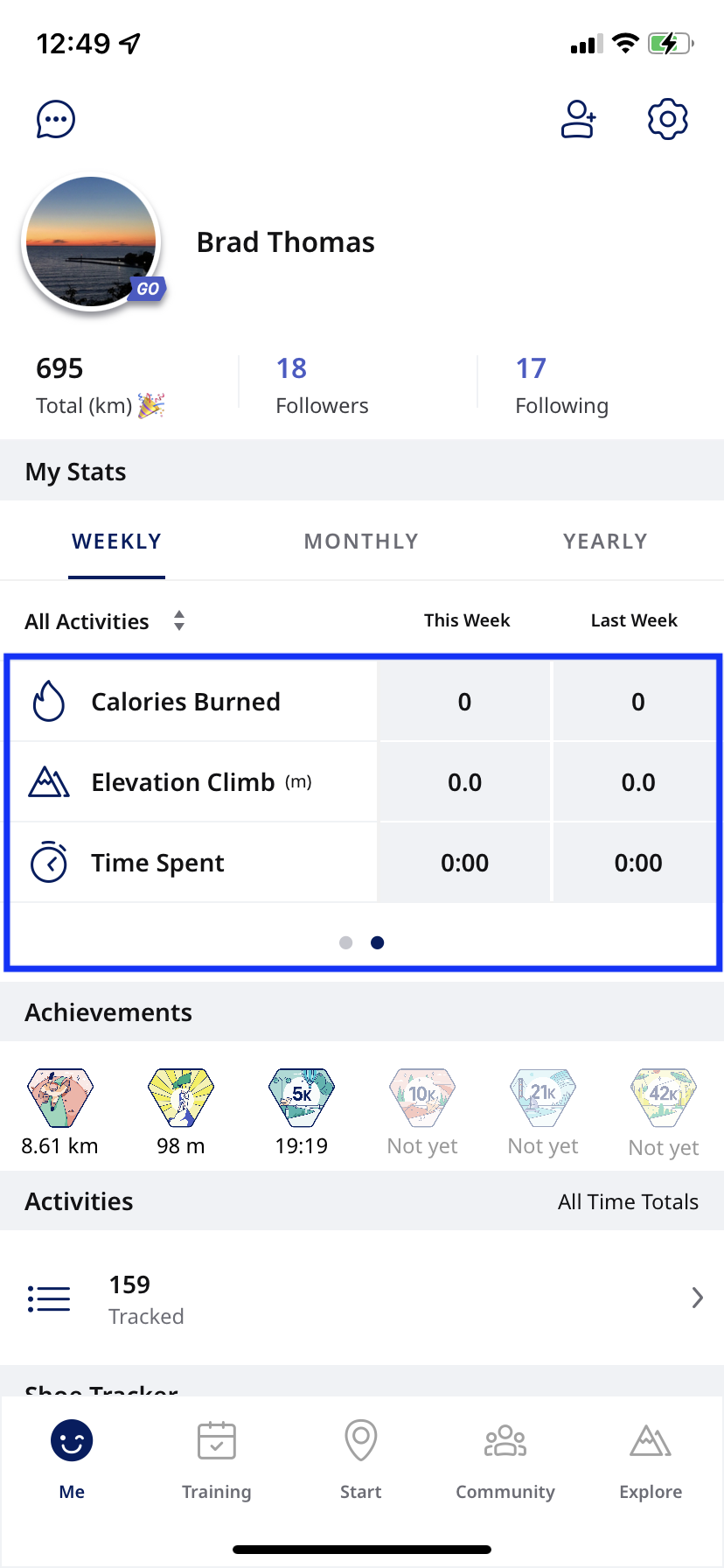
データがナビゲーションしやすくまとめられています。
- **表示設定:**
距離、平均ペース、アクティビティが既定で表示されます。
- データの既定設定は \[**週別**\] ですが、 \[**月別**\] や \[**年別**\] に変更することもできます。
- なお、データでは \[すべての**アクティビティ**\] が既定設定となっています。 ランニング、サイクリング、ウォーキングなどに表示を変更できます。
データは、[こちら](http://www.runkeeper.com/settings/preferences)で設定された \[週の開始日の詳細設定\] に応じて \[**日曜から土曜**\] と \[**月曜から日曜**\] のいずれかを基準として表示されています。
**アクティビティ**
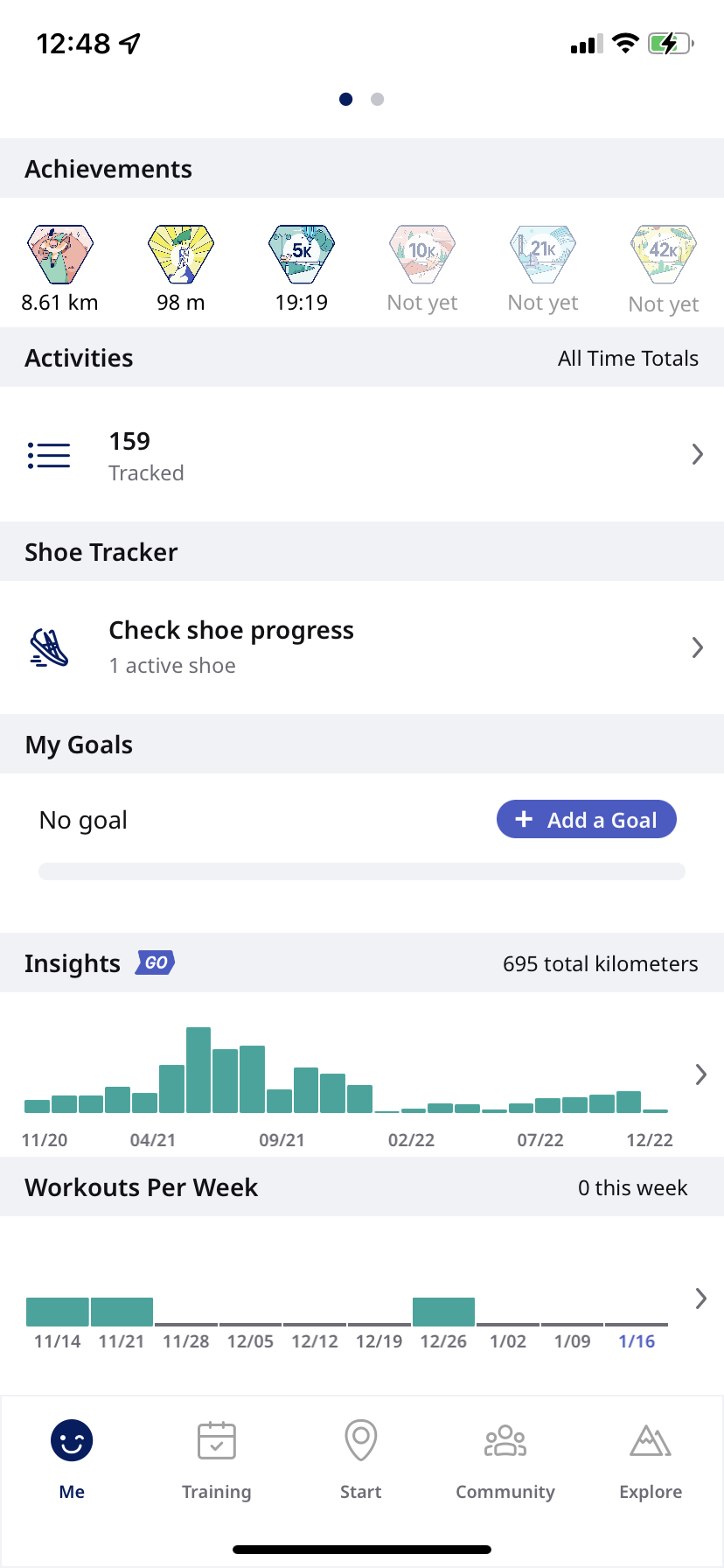
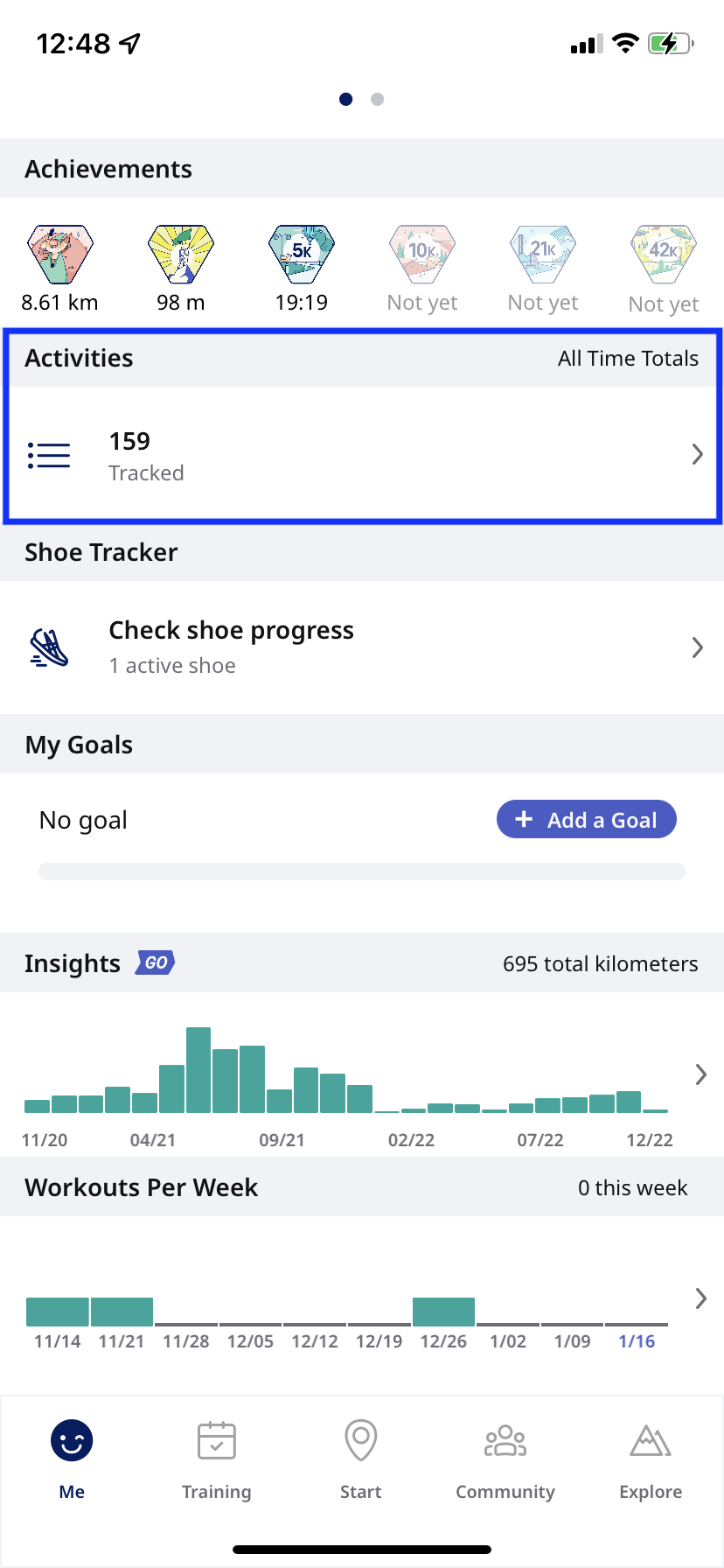
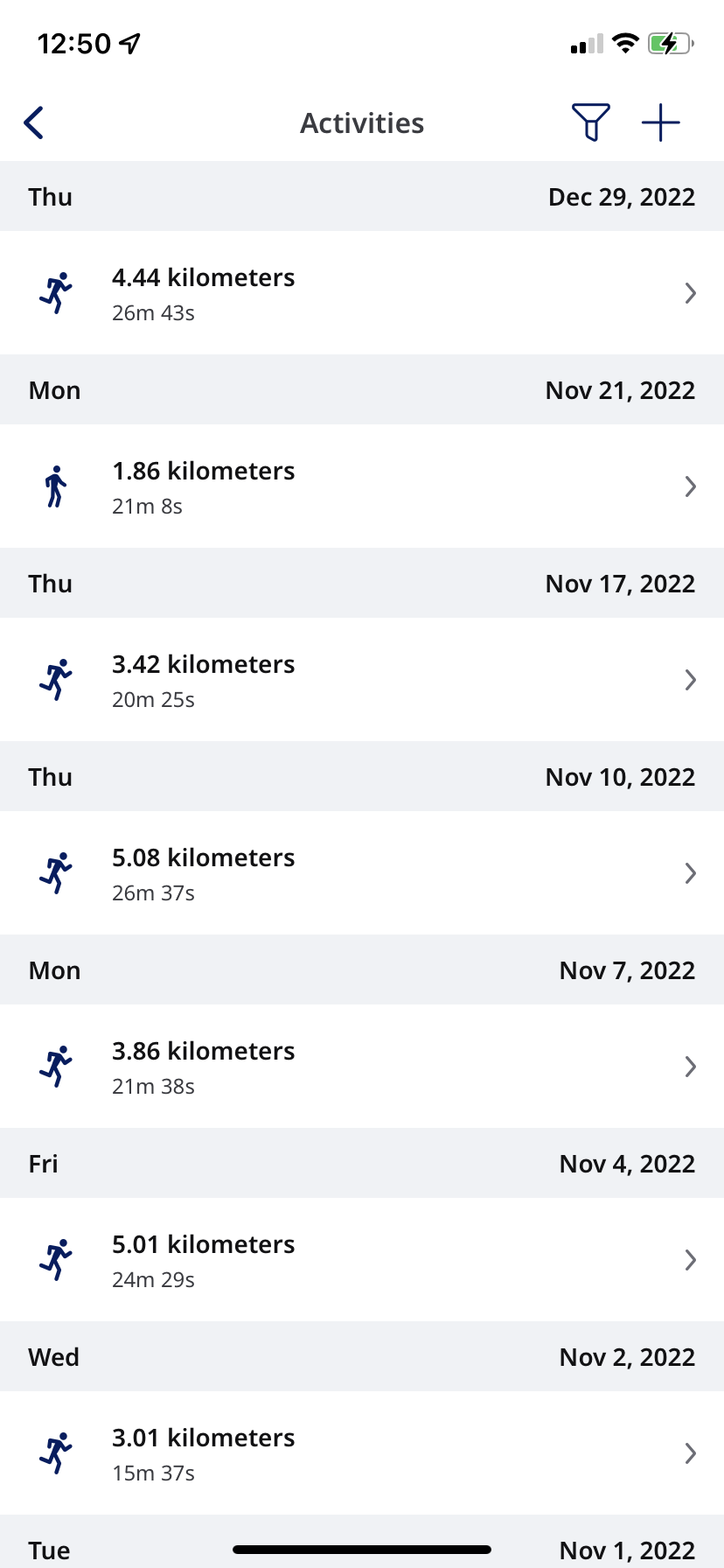
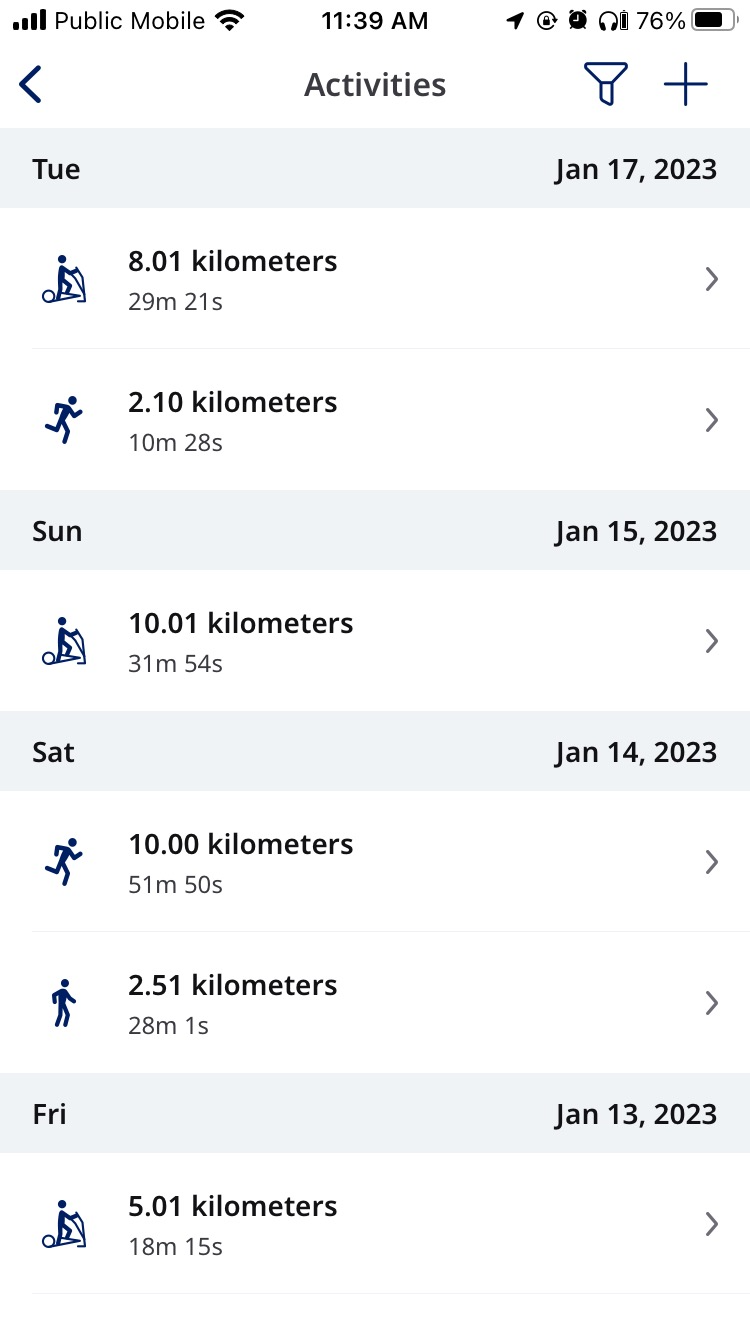
- \[**アクティビティ**\] をタップすると、ワークアウトのリストが表示されます。
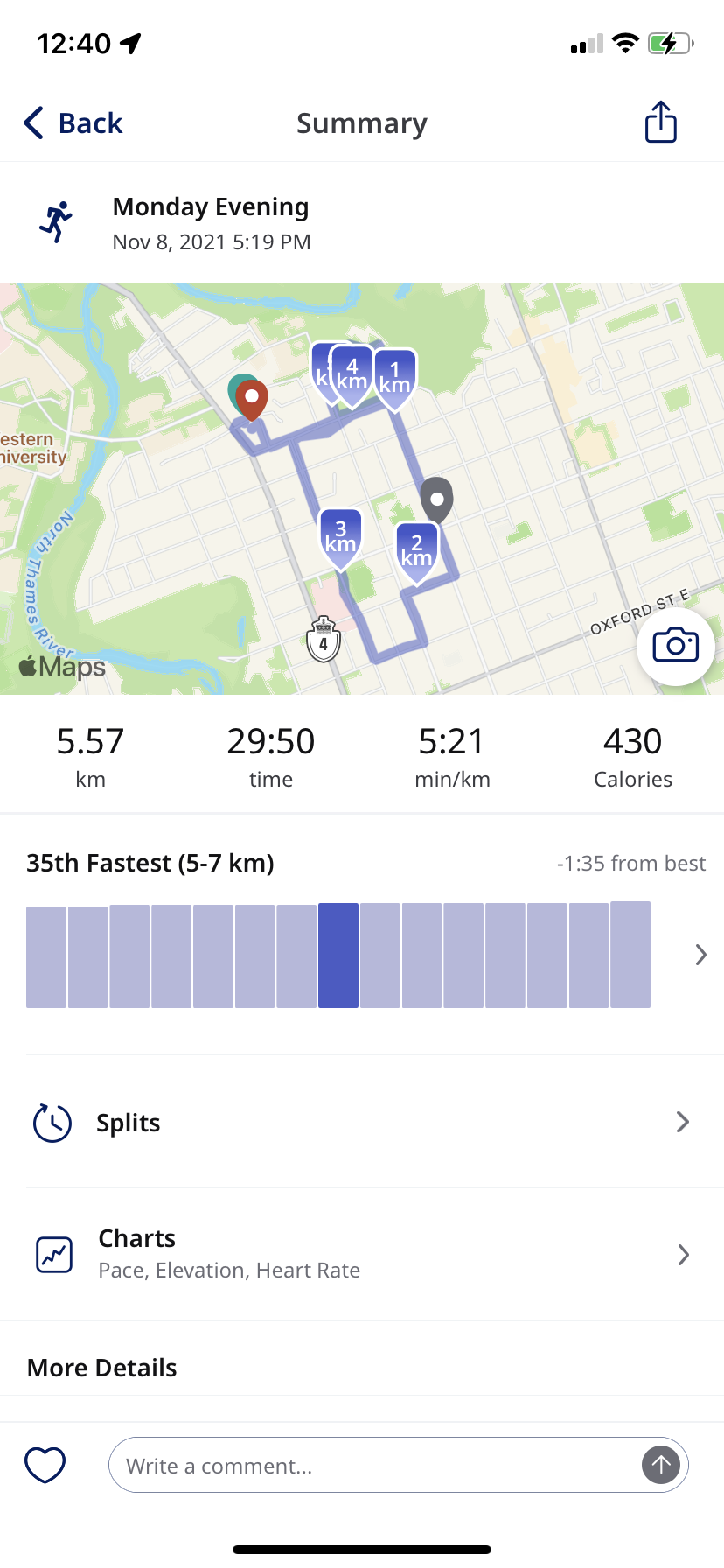
- 個別のアクティビティの詳細を確認したい場合は、リスト内でそのアクティビティをタップします。
- アクティビティが表示された後、スプリットを表示するには \[**スプリット**\] を、ペースや標高のデータなどを表示するには \[**表**\] をそれぞれタップします。
- 変更したい場合は、アクティビティの最下部までスクロールして編集します。
**シューズトラッカー**
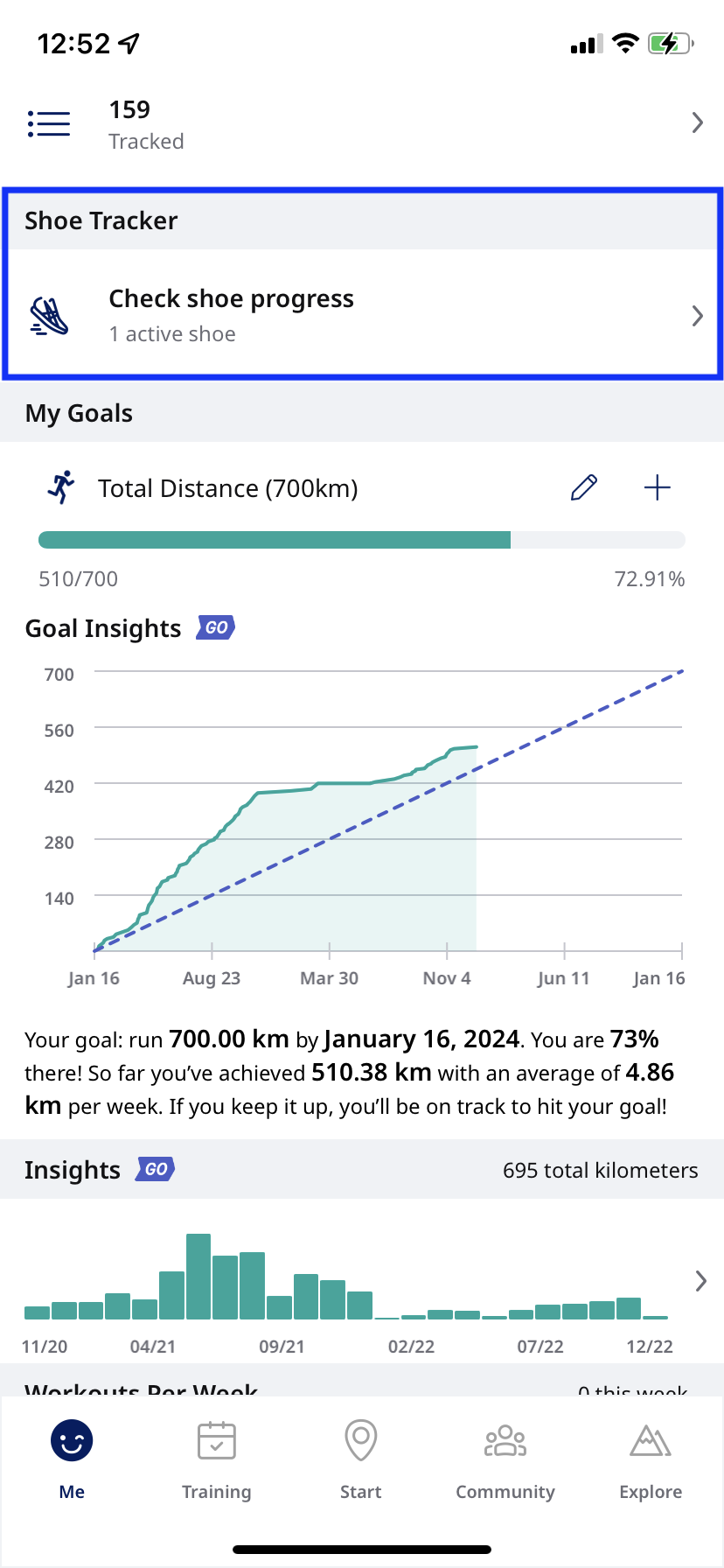
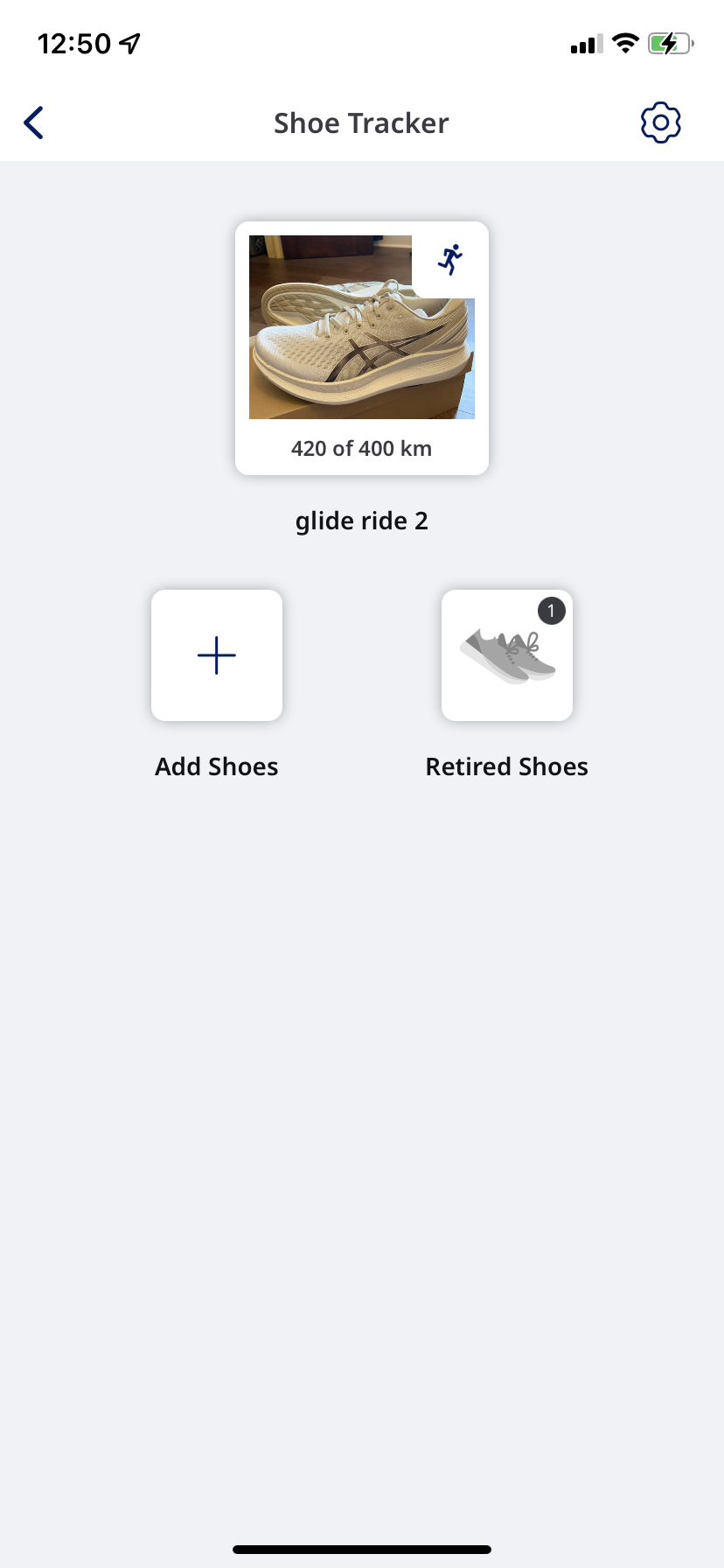
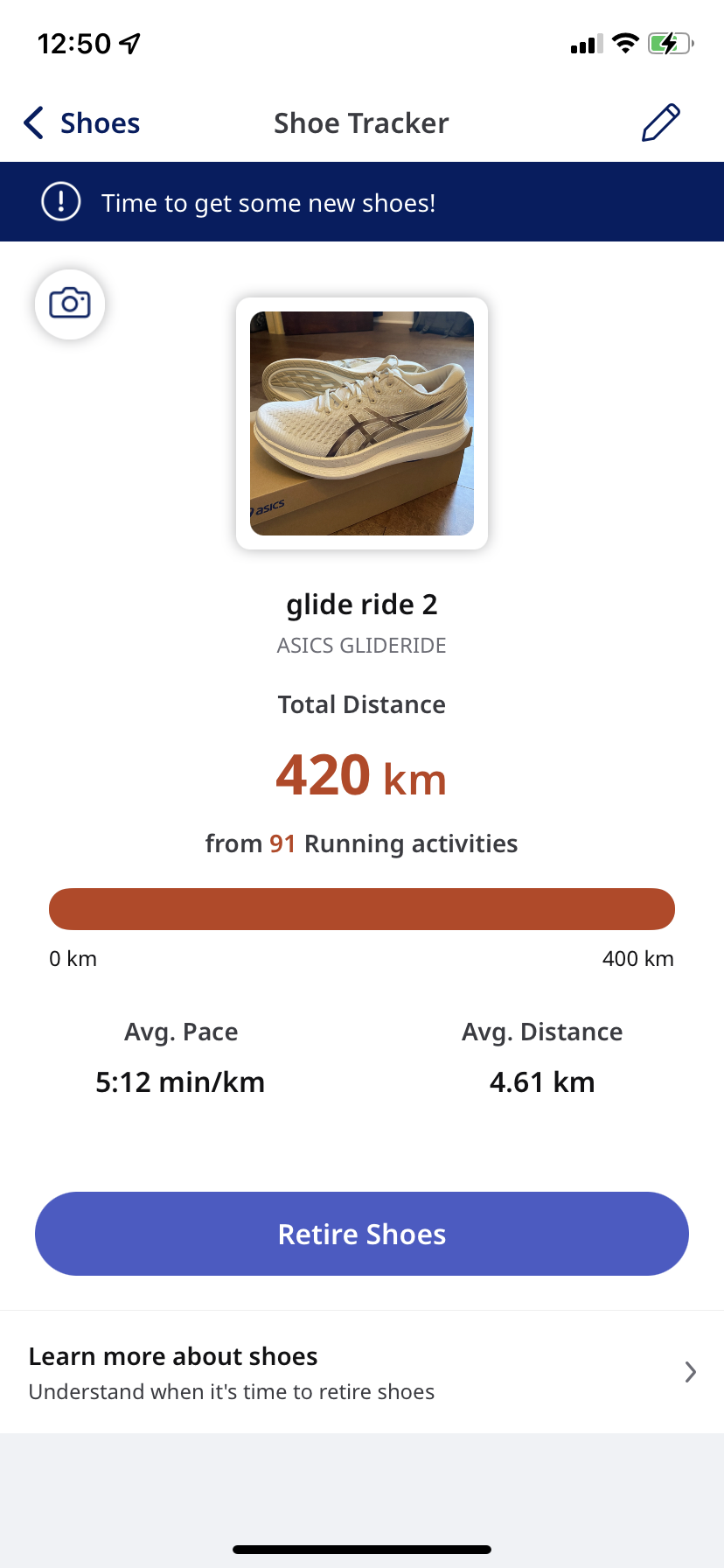
シューズを見るには、[シューズトラッカー]を選択してください。 ここから新しいシューズを追加したり、現在のシューズ情報を編集したりできます。 シューズトラッカー機能について詳しくは、[こちら](https://help.runkeeper.com/en/hc/shoe-tracking?hsLang=ja)の記事をご覧ください。
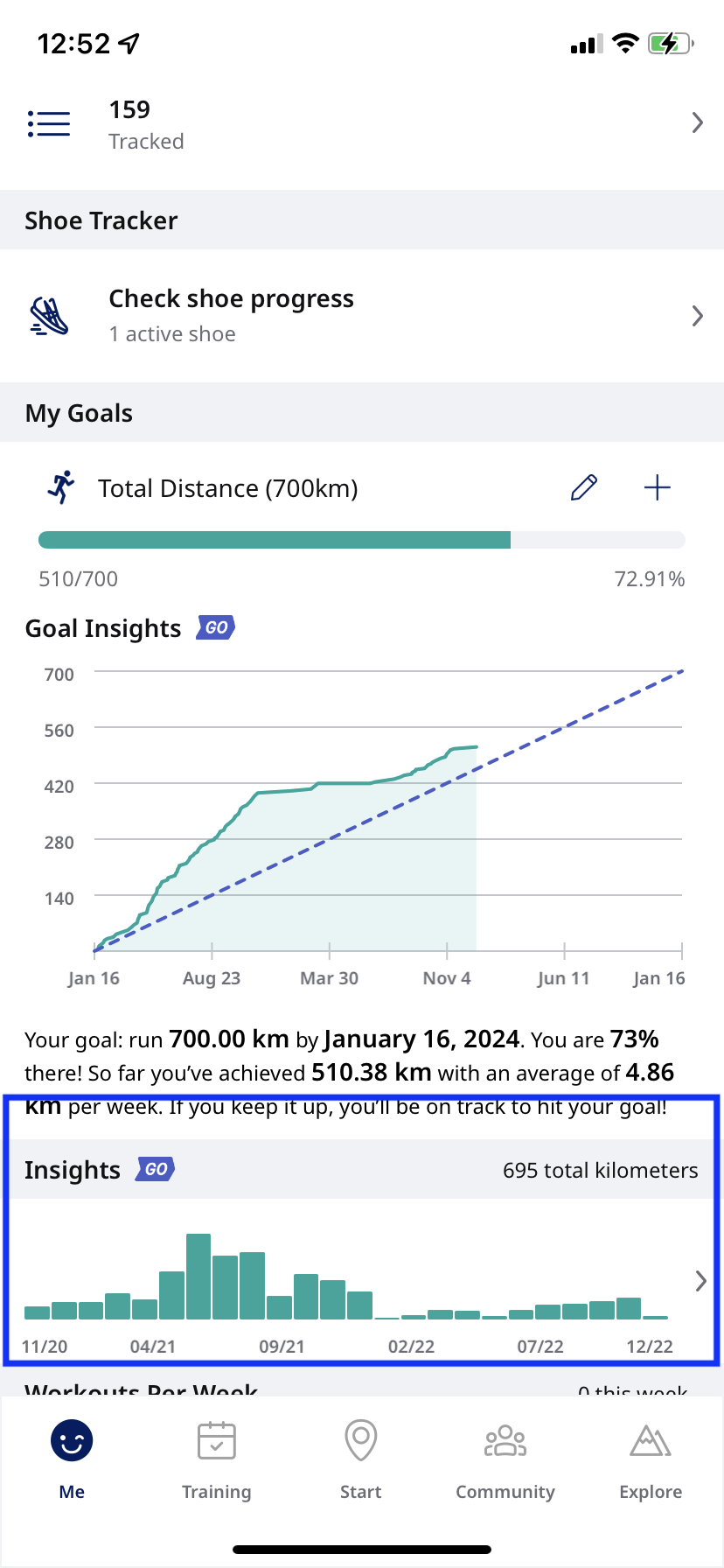
**目標**
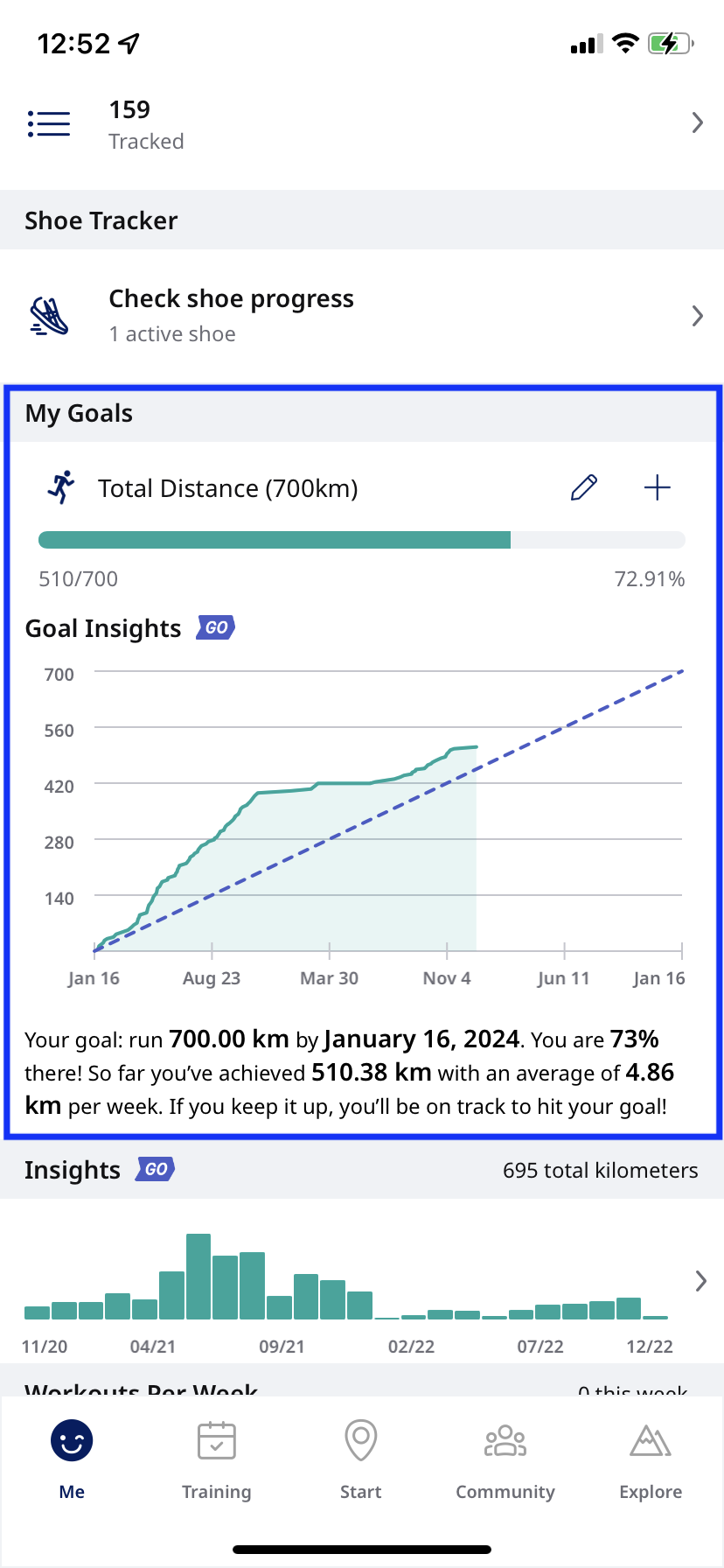
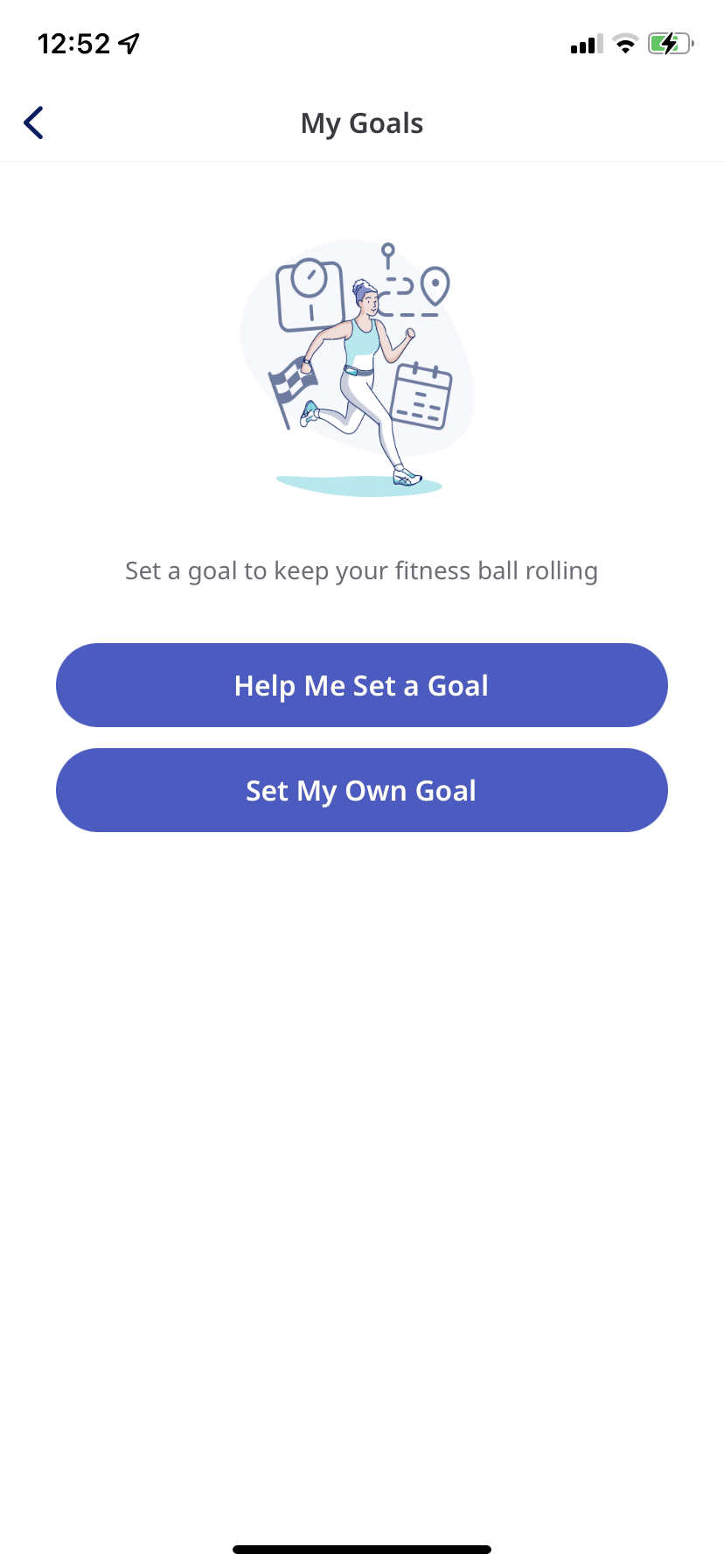
ここから現在の目標の状況を確認したり、新しい目標を作成したりできます。 目標について詳しくは、[こちらをクリック](https://support.runkeeper.com/hc/en-us/sections/200281326-Goals)してください。 また、**筆記アイコン**を選択して既存の目標を編集したり、**+アイコン**で新しい目標を追加したりできます。
*Androidユーザーの方はご注意ください:目標を表示するには、画面左上のハンバーガーメニュー(≡)をタップします。*
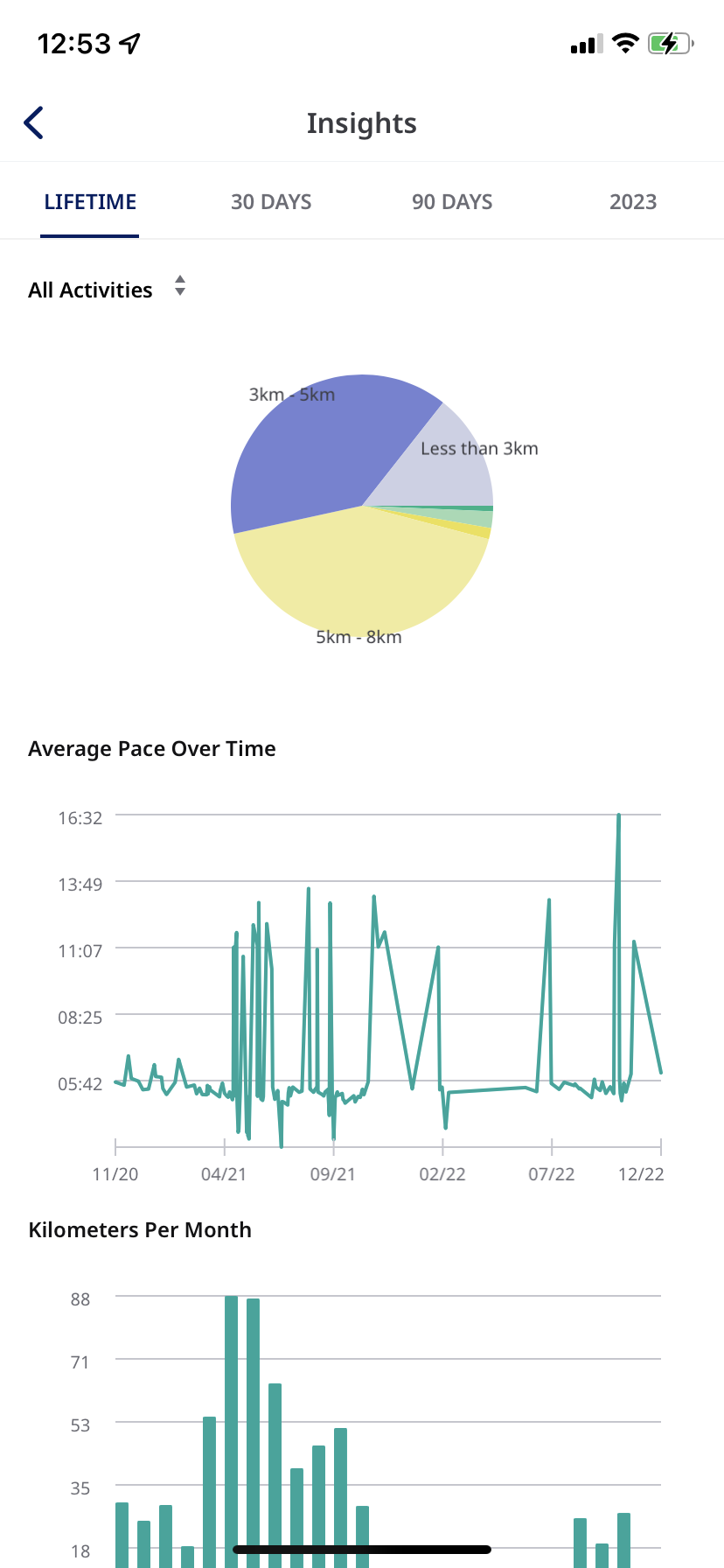
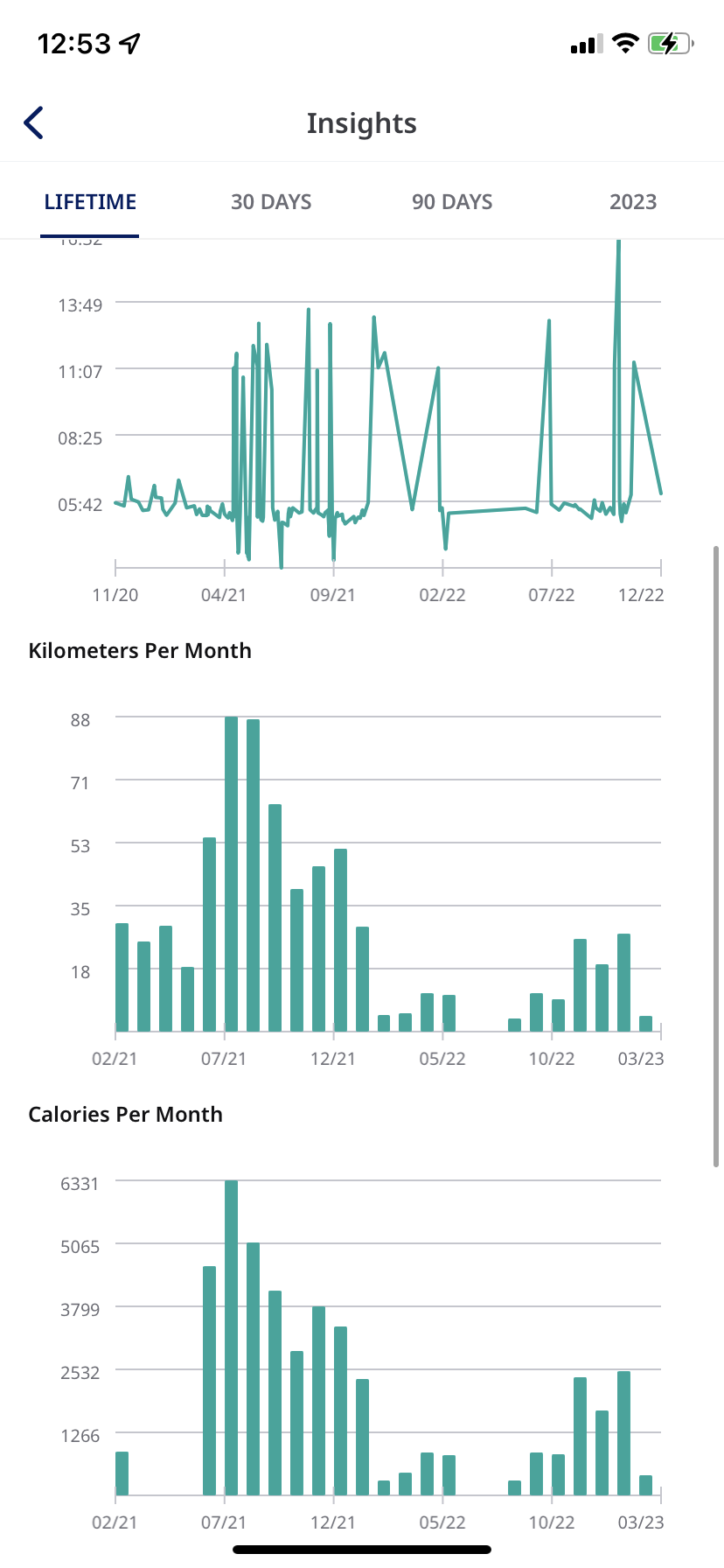
**インサイト**([Runkeeper Go](https://runkeeper.com/what-is-elite)でのみ表示可能)
- ここでは平均ペースや月ごとの走行距離などの統計を確認できます。
- 設定では、対象アクティビティを全部または指定したタイプに調整したり、期間を調整したりできます。
- Runkeeper Go の詳細確認や契約のお申し込みは、[こちらをクリック](https://runkeeper.com/what-is-elite?utm_source=pChannelBecomeElite&pchannel=web.header.become)してください。
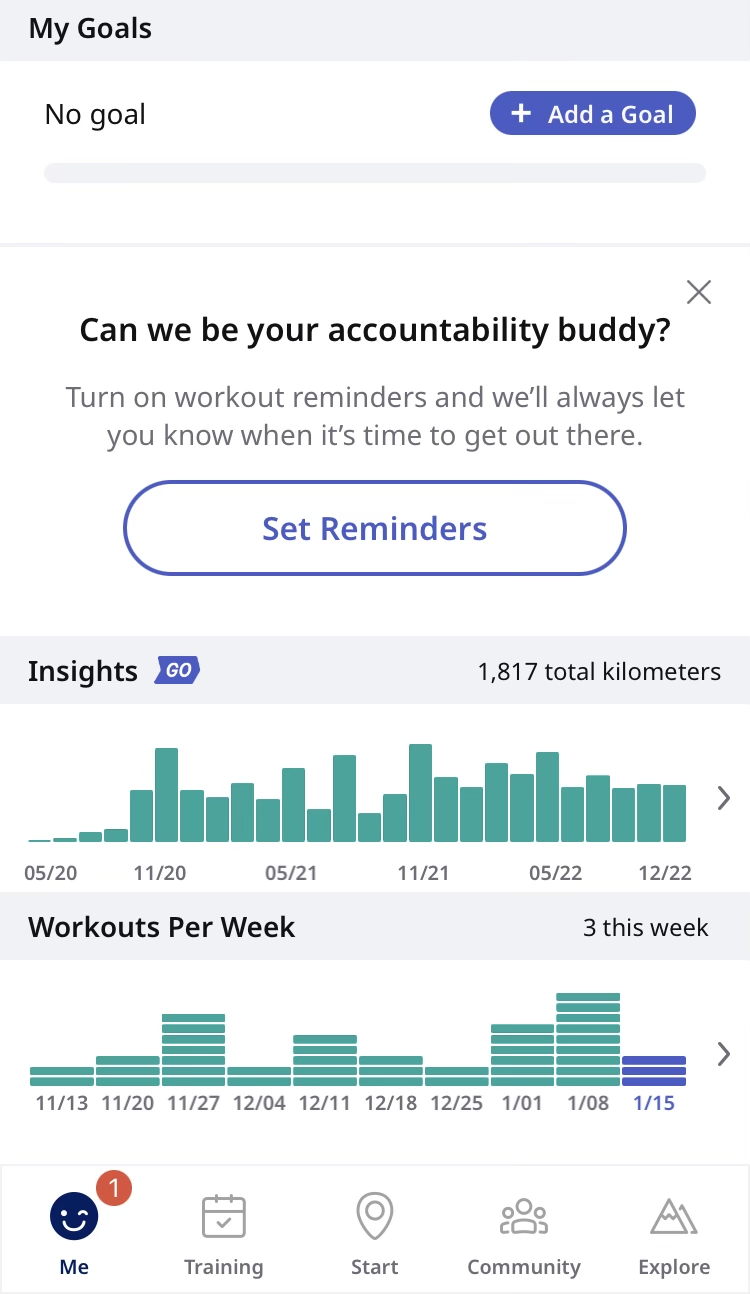
**週ごとのワークアウト**
ここから週ごとに完了しているワークアウトの回数を確認できます。 このグラフを選択すると、アクティビティの全一覧を見ることができます。
*\*情報がなくお困りの場合は、 [support@runkeeper.com](mailto:support@runkeeper.com)までお問い合わせください。*
- [アカウントとプロフィール](https://help.runkeeper.com/ja/hc/%E3%82%A2%E3%82%AB%E3%82%A6%E3%83%B3%E3%83%88%E3%81%A8%E3%83%97%E3%83%AD%E3%83%95%E3%82%A3%E3%83%BC%E3%83%AB?hsLang=ja#main-content)
- [アカウントのヘルプ](https://help.runkeeper.com/ja/hc/%E3%82%A2%E3%82%AB%E3%82%A6%E3%83%B3%E3%83%88%E3%81%A8%E3%83%97%E3%83%AD%E3%83%95%E3%82%A3%E3%83%BC%E3%83%AB?hsLang=ja#%E3%82%A2%E3%82%AB%E3%82%A6%E3%83%B3%E3%83%88%E3%81%AE%E3%83%98%E3%83%AB%E3%83%97)
- [iPhone](https://help.runkeeper.com/ja/hc/iphone?hsLang=ja#main-content)
- [Me](https://help.runkeeper.com/ja/hc/iphone?hsLang=ja#me)
- [Start](https://help.runkeeper.com/ja/hc/iphone?hsLang=ja#start)
- [Android](https://help.runkeeper.com/ja/hc/android?hsLang=ja)
- [Website](https://help.runkeeper.com/ja/hc/website?hsLang=ja)
- [パートナーのアプリ](https://help.runkeeper.com/ja/hc/%E3%83%91%E3%83%BC%E3%83%88%E3%83%8A%E3%83%BC%E3%81%AE%E3%82%A2%E3%83%97%E3%83%AA?hsLang=ja#main-content)
- [Apple Watch](https://help.runkeeper.com/ja/hc/%E3%83%91%E3%83%BC%E3%83%88%E3%83%8A%E3%83%BC%E3%81%AE%E3%82%A2%E3%83%97%E3%83%AA?hsLang=ja#apple-watch)
- [パートナーのアプリ](https://help.runkeeper.com/ja/hc/%E3%83%91%E3%83%BC%E3%83%88%E3%83%8A%E3%83%BC%E3%81%AE%E3%82%A2%E3%83%97%E3%83%AA?hsLang=ja#%E3%83%91%E3%83%BC%E3%83%88%E3%83%8A%E3%83%BC%E3%81%AE%E3%82%A2%E3%83%97%E3%83%AA)
- [基本事項](https://help.runkeeper.com/ja/hc/%E5%9F%BA%E6%9C%AC%E4%BA%8B%E9%A0%85?hsLang=ja#main-content)
- [Getting Started](https://help.runkeeper.com/ja/hc/%E5%9F%BA%E6%9C%AC%E4%BA%8B%E9%A0%85?hsLang=ja#getting-started)
- [トレーニング](https://help.runkeeper.com/ja/hc/%E3%83%88%E3%83%AC%E3%83%BC%E3%83%8B%E3%83%B3%E3%82%B0?hsLang=ja#main-content)
- [Training Plans](https://help.runkeeper.com/ja/hc/%E3%83%88%E3%83%AC%E3%83%BC%E3%83%8B%E3%83%B3%E3%82%B0?hsLang=ja#training-plans)
- [Runkeeper Go](https://help.runkeeper.com/ja/hc/runkeeper-go?hsLang=ja#main-content)
- [Runkeeper Go](https://help.runkeeper.com/ja/hc/runkeeper-go?hsLang=ja#runkeeper-go)
[](http://raceroster.com)
[mailto:email@email.com](mailto:email@email.com)
Copyright © 2026, Race Roster