---
title: Comprendre votre écran Commencer sous Android
description: L'écran Commencer est l'endroit où vous pourrez suivre ou enregistrer une activité. Poursuivez la lecture pour découvrir ce qu'il est possible de faire à partir de cet écran.
---
[Passer au contenu](https://help.runkeeper.com/fr/hc/comprendre-votre-écran-commencer-sous-android#main-content)
- [Français](https://help.runkeeper.com/fr/hc/comprendre-votre-%C3%A9cran-commencer-sous-android)
- [Deutsch](https://help.runkeeper.com/de/hc/das-ist-dein-android-start-bildschirm)
- [English](https://help.runkeeper.com/en/hc/understanding-your-android-start-screen)
- [Nederlands](https://help.runkeeper.com/nl/hc/zo-werkt-je-android-startscherm)
- [Português - Brasil](https://help.runkeeper.com/pt-br/hc/conheça-sua-tela-inicial-no-android)
- [Svenska](https://help.runkeeper.com/sv/hc/att-förstå-startskärmen-på-android)
- [日本語](https://help.runkeeper.com/ja/hc/android-のスタート画面について)
Français
Afficher le sous-menu pour les traductions

Ouvrir la navigation principale
Fermer la navigation principale
- - [Français](https://help.runkeeper.com/fr/hc/comprendre-votre-%C3%A9cran-commencer-sous-android)
- [Deutsch](https://help.runkeeper.com/de/hc/das-ist-dein-android-start-bildschirm)
- [English](https://help.runkeeper.com/en/hc/understanding-your-android-start-screen)
- [Nederlands](https://help.runkeeper.com/nl/hc/zo-werkt-je-android-startscherm)
- [Português - Brasil](https://help.runkeeper.com/pt-br/hc/conheça-sua-tela-inicial-no-android)
- [Svenska](https://help.runkeeper.com/sv/hc/att-förstå-startskärmen-på-android)
- [日本語](https://help.runkeeper.com/ja/hc/android-のスタート画面について)
Français
Afficher le sous-menu pour les traductions
- [Contact](https://share.hsforms.com/1kOQWjUYVRN-kRNd9_IeKBgns95q)
[Contact](https://share.hsforms.com/1kOQWjUYVRN-kRNd9_IeKBgns95q)
Comment pouvons-nous vous aider ?
- Il n'y a aucune suggestion car le champ de recherche est vide.
1. [Centre d'aide](https://help.runkeeper.com/fr/hc?hsLang=fr)
2. [Android](https://help.runkeeper.com/fr/hc/android?hsLang=fr)
# Comprendre votre écran Commencer sous Android
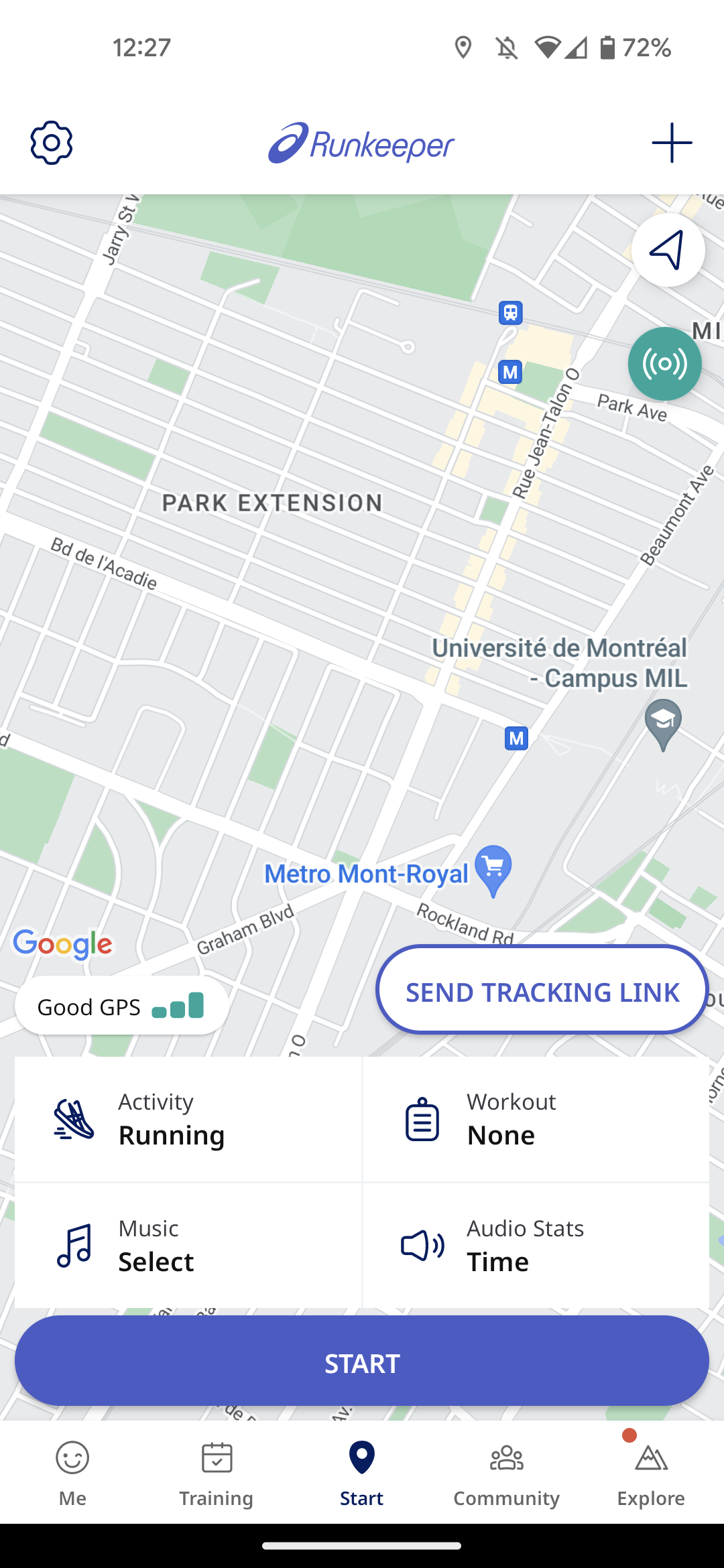
L'écran Commencer est l'endroit où vous pourrez suivre ou enregistrer une activité. Poursuivez la lecture pour découvrir ce qu'il est possible de faire à partir de cet écran.
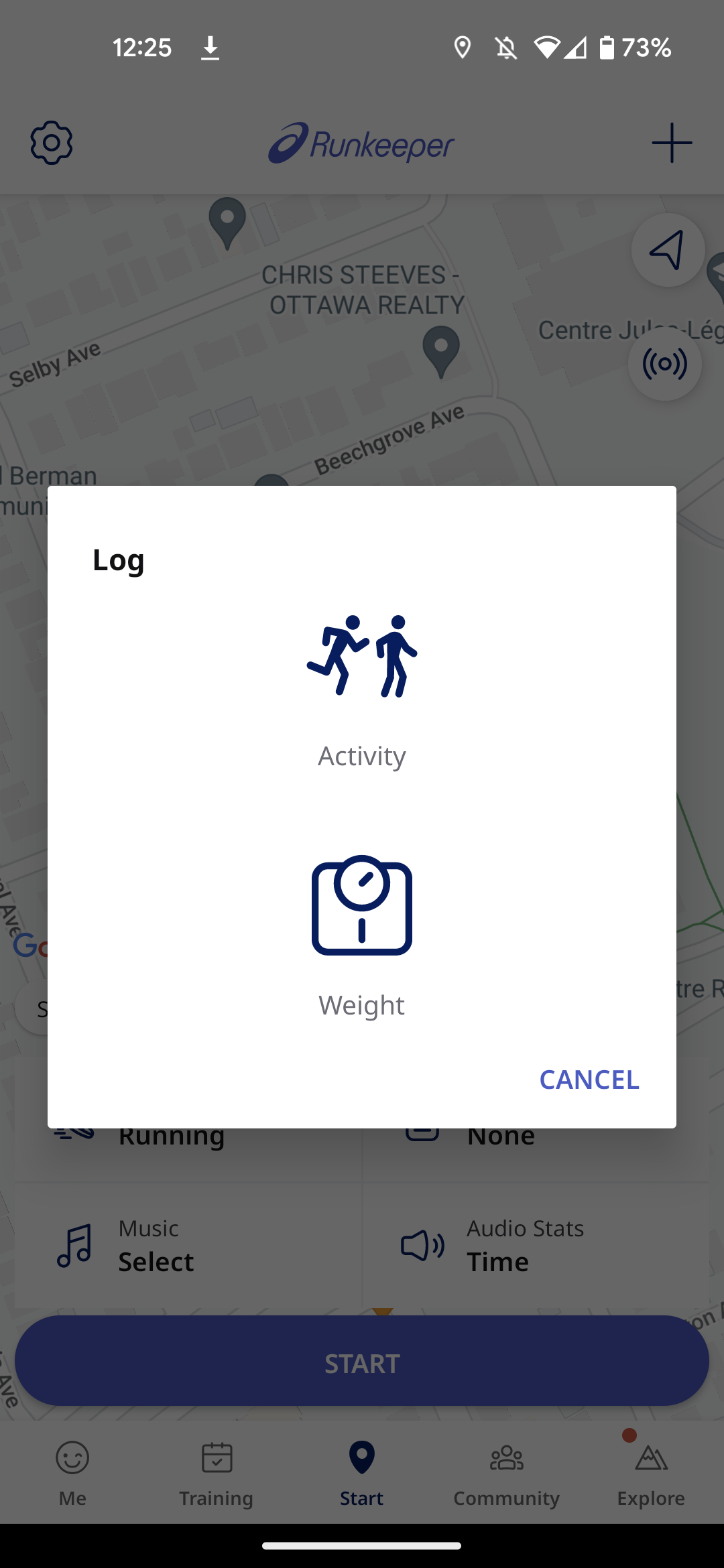
**Enregistrer une activité manuelle**
Pour enregistrer manuellement une activité, sélectionnez l'icône (+) en haut à droite de l'écran.
**Sélectionner un type d'activité/Basculer vers le *Mode chrono***
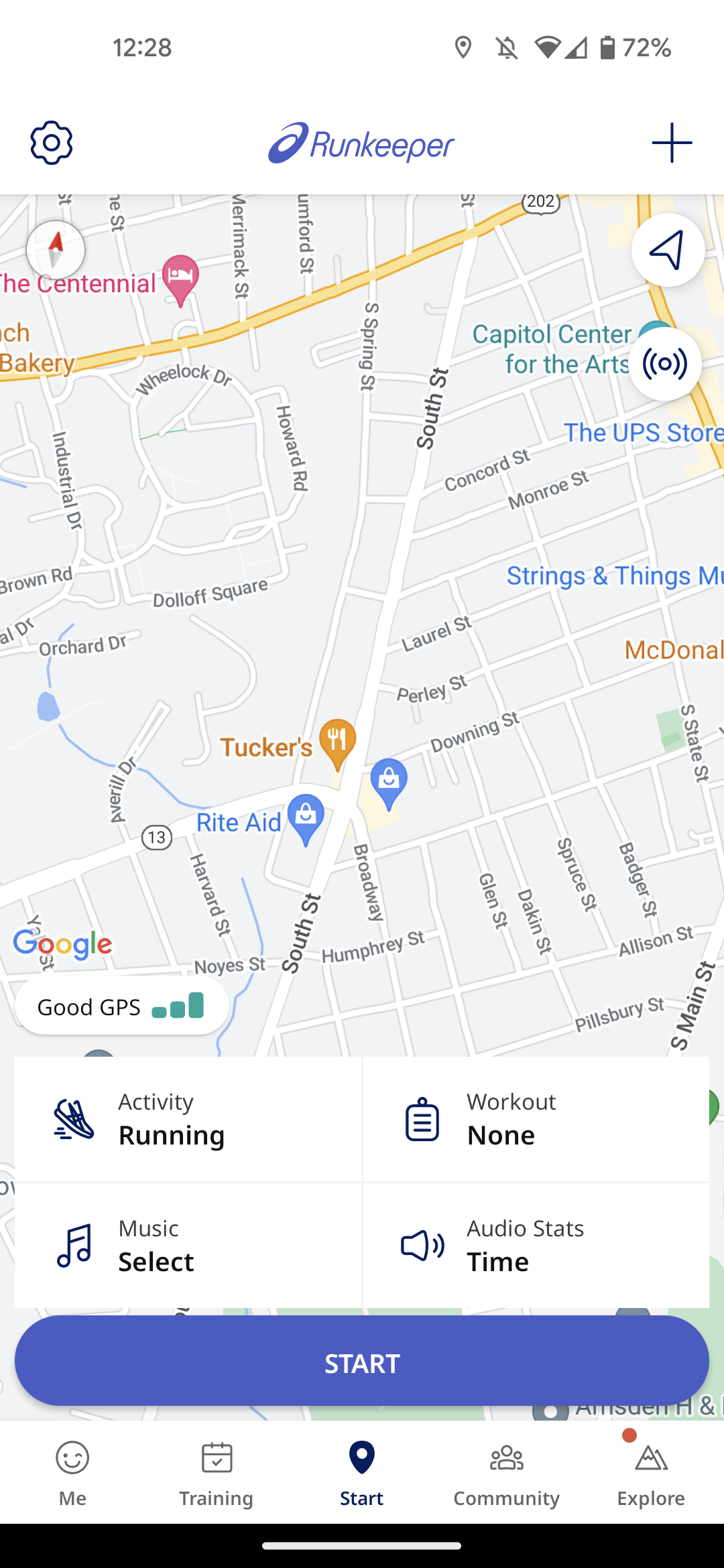
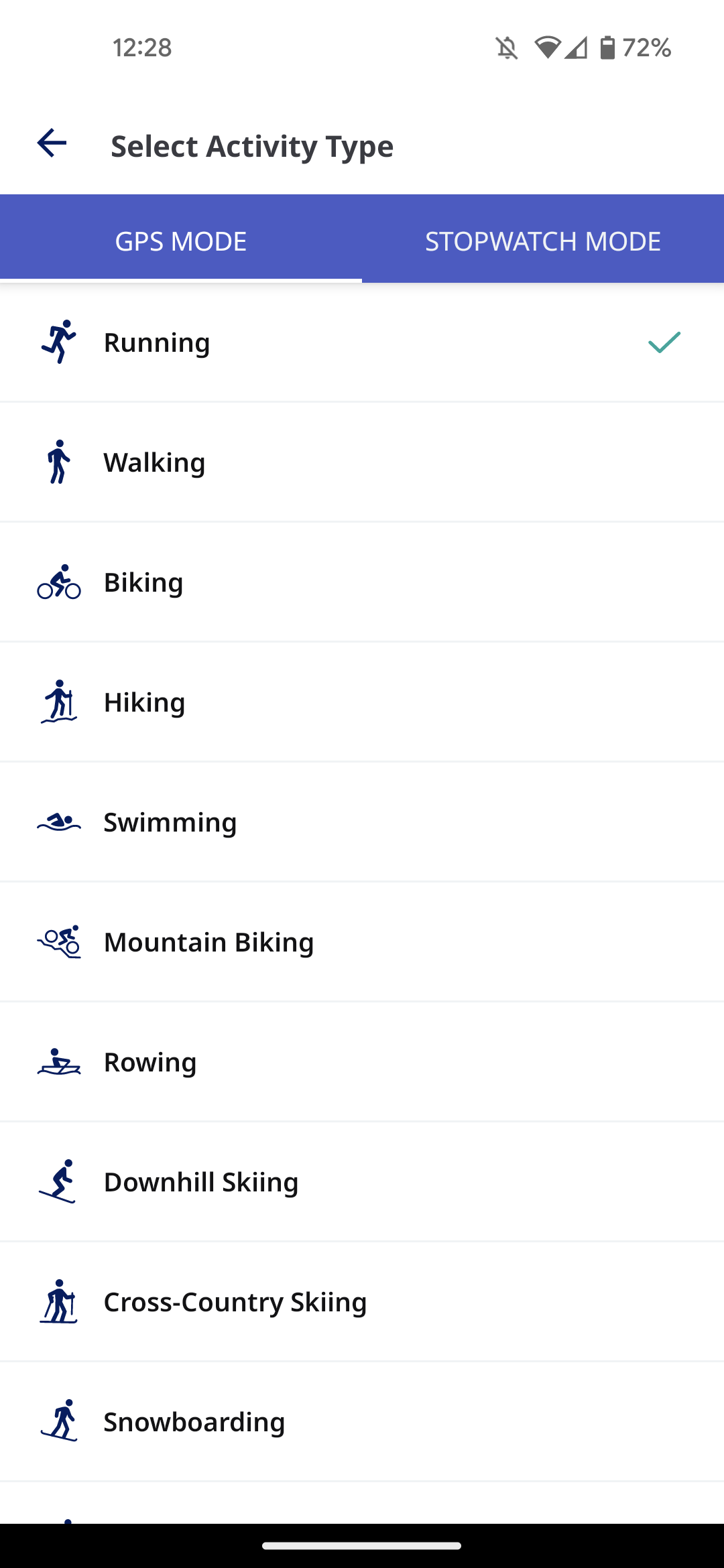
- Appuyez sur le **bouton Activité avec l'icône en forme de basket** afin de sélectionner votre activité.
- À partir du même écran, vous pouvez basculer vers le MODE CHRONO. Nous vous recommandons cette option si c'est une activité en intérieur que vous suivez.
**Sessions**
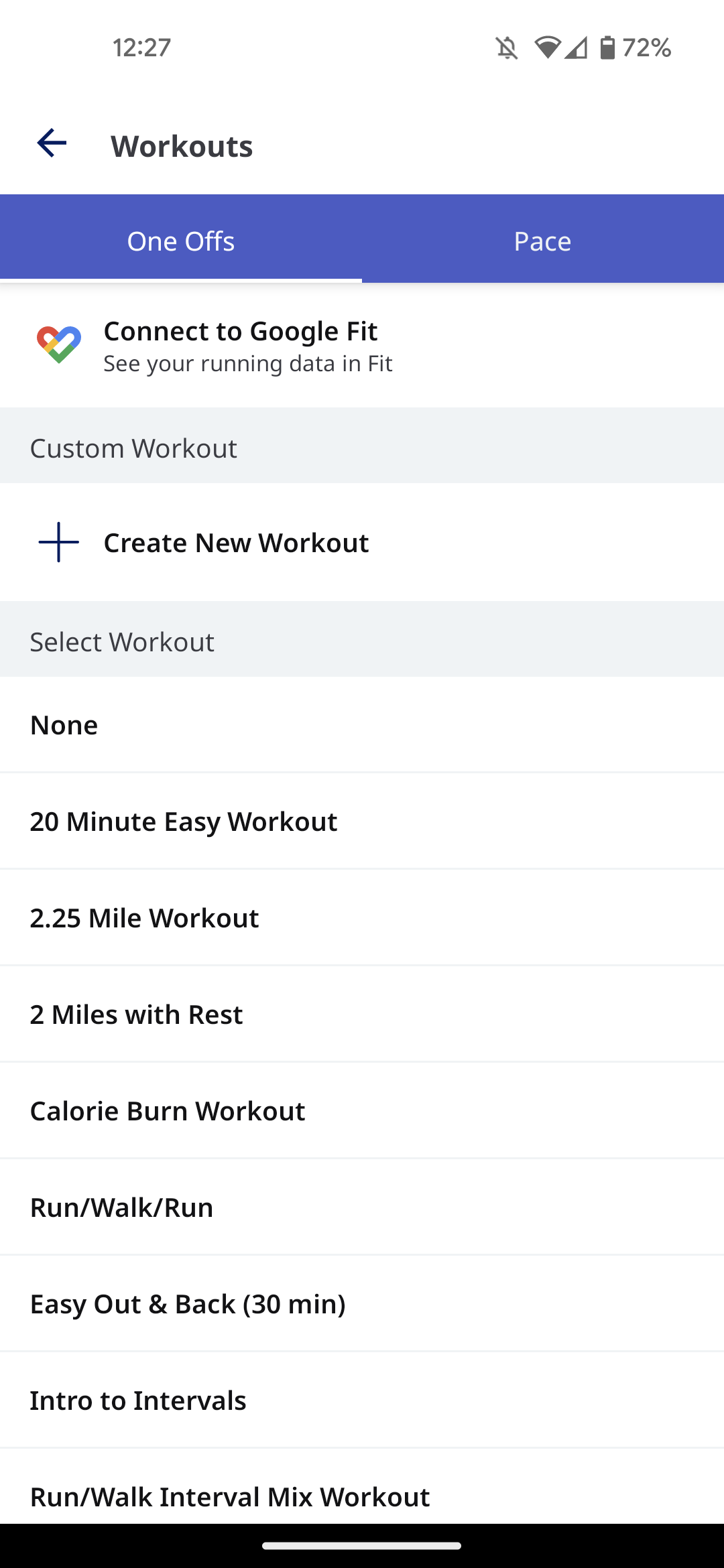
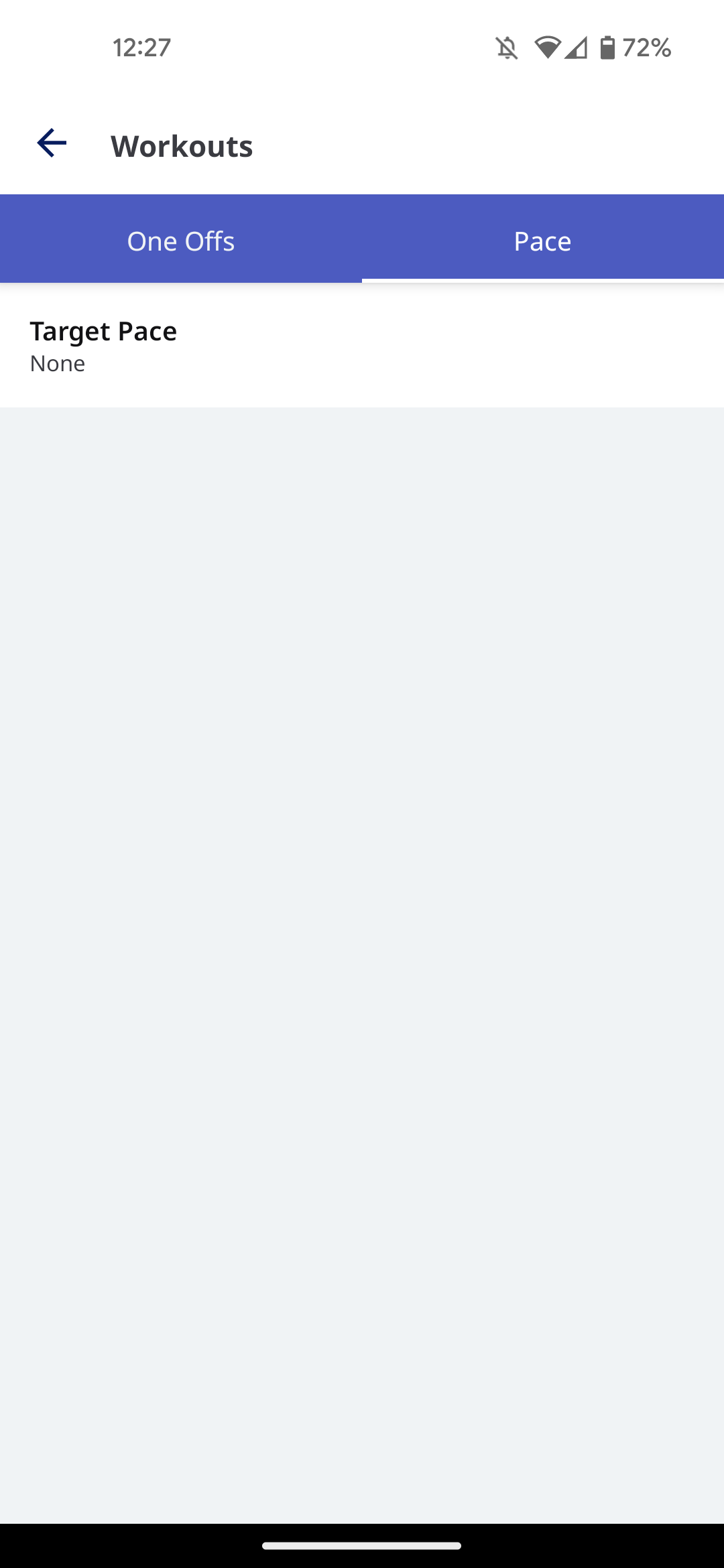
Ici, vous pouvez sélectionner votre programme d'entraînement, choisir une session à intervalles personnalisée unique, ou vous entraîner en visant un certain rythme.
- **Sessions uniques :** choisissez à partir d'une liste de courses préconçues, ou [créez la vôtre.](https://help.runkeeper.com/en/hc/creating-custom-interval/one-off-workouts?hsLang=fr)
- **Rythme :** entraînez-vous en visant un certain rythme, ou commencez le programme [Win the Long Run](https://help.runkeeper.com/en/hc/asics-win-the-long-run?hsLang=fr) à nos côtés !
**Musique**
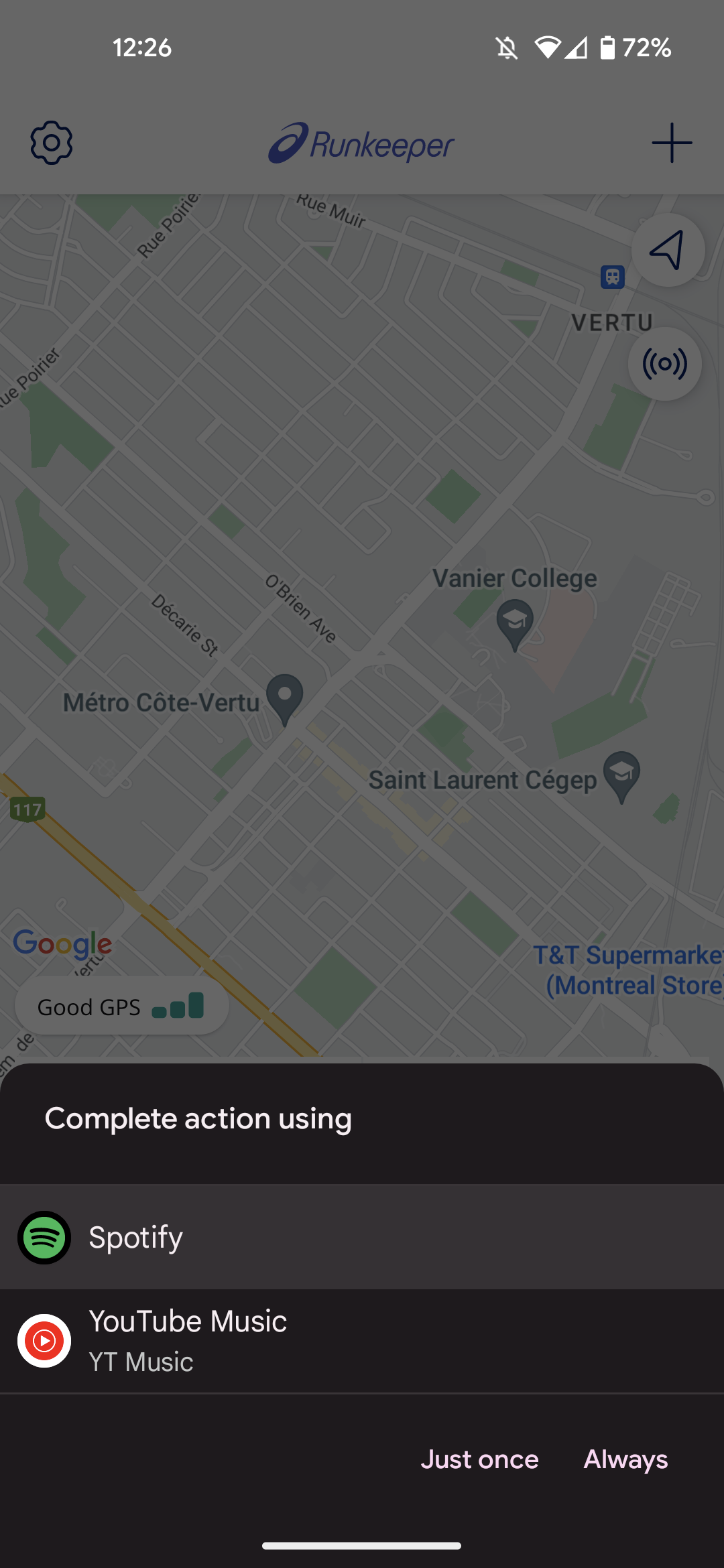
- Sélectionnez votre source musicale.
- Vous avez le choix de **Toujours** utiliser ce lecteur ou de ne le choisir qu'**Une seule fois** avec l'application Runkeeper.
- Après avoir choisi votre musique dans cette application, réduisez-la puis ouvrez Runkeeper à nouveau pour accéder à l'écran Commencer et débuter le suivi d'une activité !
**Remarques :**
- Si vous choisissez **Toujours**, Runkeeper s'associera automatiquement à cette application à l'avenir. Pour l'instant, il n'existe aucun moyen de faire réapparaître ce message ultérieurement, alors réfléchissez bien avant d'appuyer !
- Google Play a été interrompu.
**Stats audio**
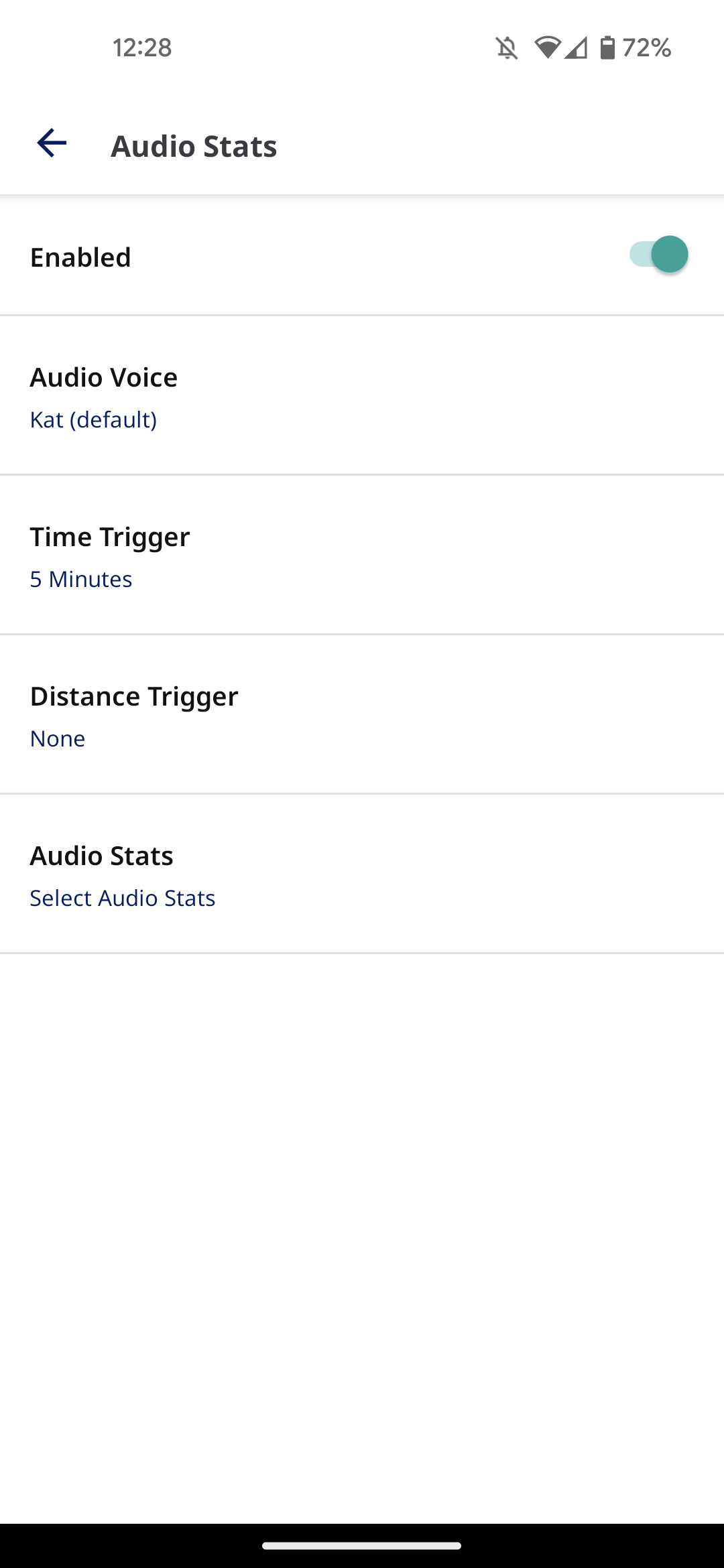
- Appuyez sur le bouton Musique pour personnaliser vos statistiques audio et le moment où elles se déclenchent.
- Vous pouvez également choisir une voix différente ici.
- [Compte et profil](https://help.runkeeper.com/fr/hc/compte-et-profil?hsLang=fr#main-content)
- [Aide relative au compte](https://help.runkeeper.com/fr/hc/compte-et-profil?hsLang=fr#aide-relative-au-compte)
- [iPhone](https://help.runkeeper.com/fr/hc/iphone?hsLang=fr#main-content)
- [Start](https://help.runkeeper.com/fr/hc/iphone?hsLang=fr#start)
- [Android](https://help.runkeeper.com/fr/hc/android?hsLang=fr)
- [Website](https://help.runkeeper.com/fr/hc/website?hsLang=fr)
- [Applications partenaires](https://help.runkeeper.com/fr/hc/applications-partenaires?hsLang=fr#main-content)
- [Apple Watch](https://help.runkeeper.com/fr/hc/applications-partenaires?hsLang=fr#apple-watch)
- [Applications partenaires](https://help.runkeeper.com/fr/hc/applications-partenaires?hsLang=fr#applications-partenaires)
- [Pour commencer](https://help.runkeeper.com/fr/hc/pour-commencer?hsLang=fr#main-content)
- [Getting Started](https://help.runkeeper.com/fr/hc/pour-commencer?hsLang=fr#getting-started)
- [Runkeeper Go](https://help.runkeeper.com/fr/hc/runkeeper-go?hsLang=fr#main-content)
- [Runkeeper Go](https://help.runkeeper.com/fr/hc/runkeeper-go?hsLang=fr#runkeeper-go)
[](http://raceroster.com)
[mailto:email@email.com](mailto:email@email.com)
Copyright © 2026, Race Roster