
With Runkeeper, you can manually enter activities so they are added to your account activity list. You can do this on the mobile Runkeeper App or on the Runkeeper website!
Android
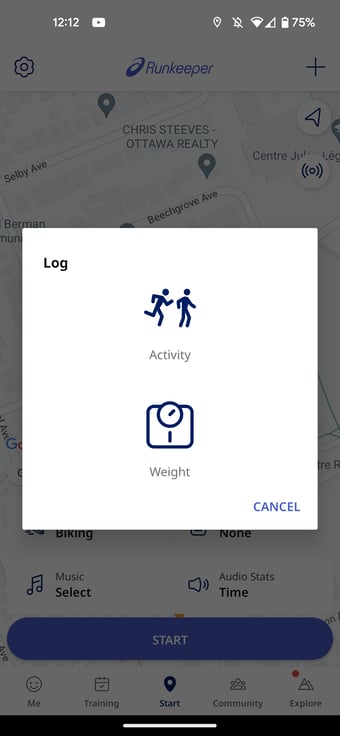
1. From the Start tab, click the plus sign '+' in the upper left hand corner to bring up the Log tab
2. Select Activity
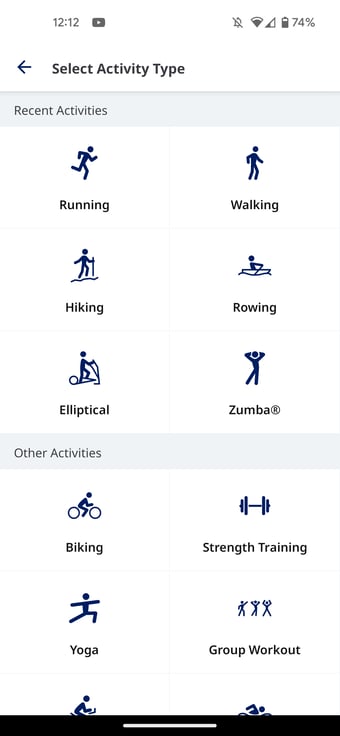
3. Select the Activity Type
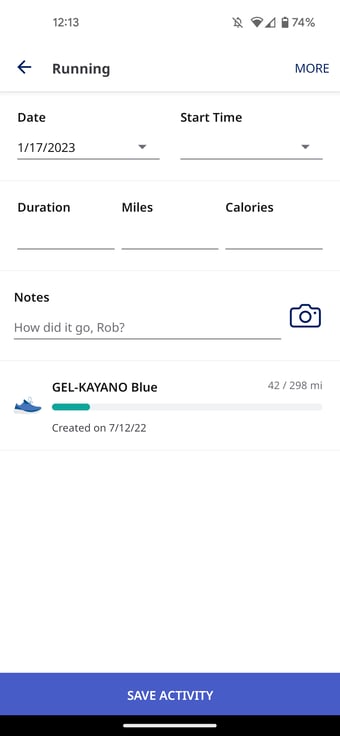
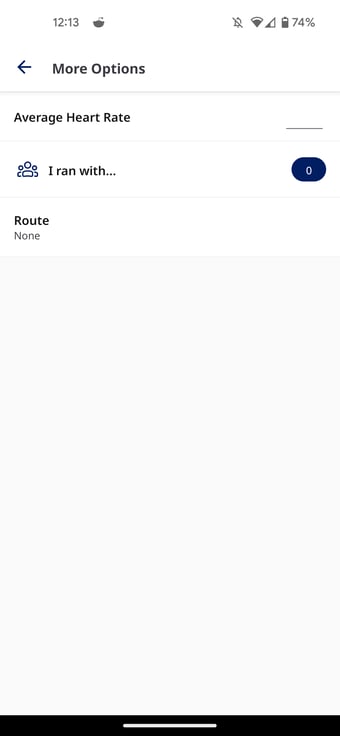
3. Select More for additional details
4. Save Activity
*If you want to input an activity Manually on the Runkeeper Website, check out this article!
*Have more questions? Contact our support team at support@runkeeper.com!